You don't need a production crew, a studio, or a six-figure budget to make video ads that actually convert. A good AI video ad maker can take you from a product idea to a finished, platform-ready clip in under an hour. Here's the exact workflow, step by step.
Step 1: Define Your Ad Goal and Target Audience
Before you open any tool, write down one sentence that answers two questions: what do you want the viewer to do, and who is that viewer?
This sounds obvious, but skipping it is the most common reason ads fail. A video optimized to get someone to click a landing page looks different from one designed to build brand recognition. They need different hooks, different lengths, and different calls to action.
Start with your goal. Pick one:
- Drive traffic to a product page
- Get app installs
- Grow social followers
- Generate direct purchases
Then define your audience. Be specific. "Women aged 25-34 who shop on Instagram and follow fitness creators" is actionable. "Everyone who might like our product" is not.
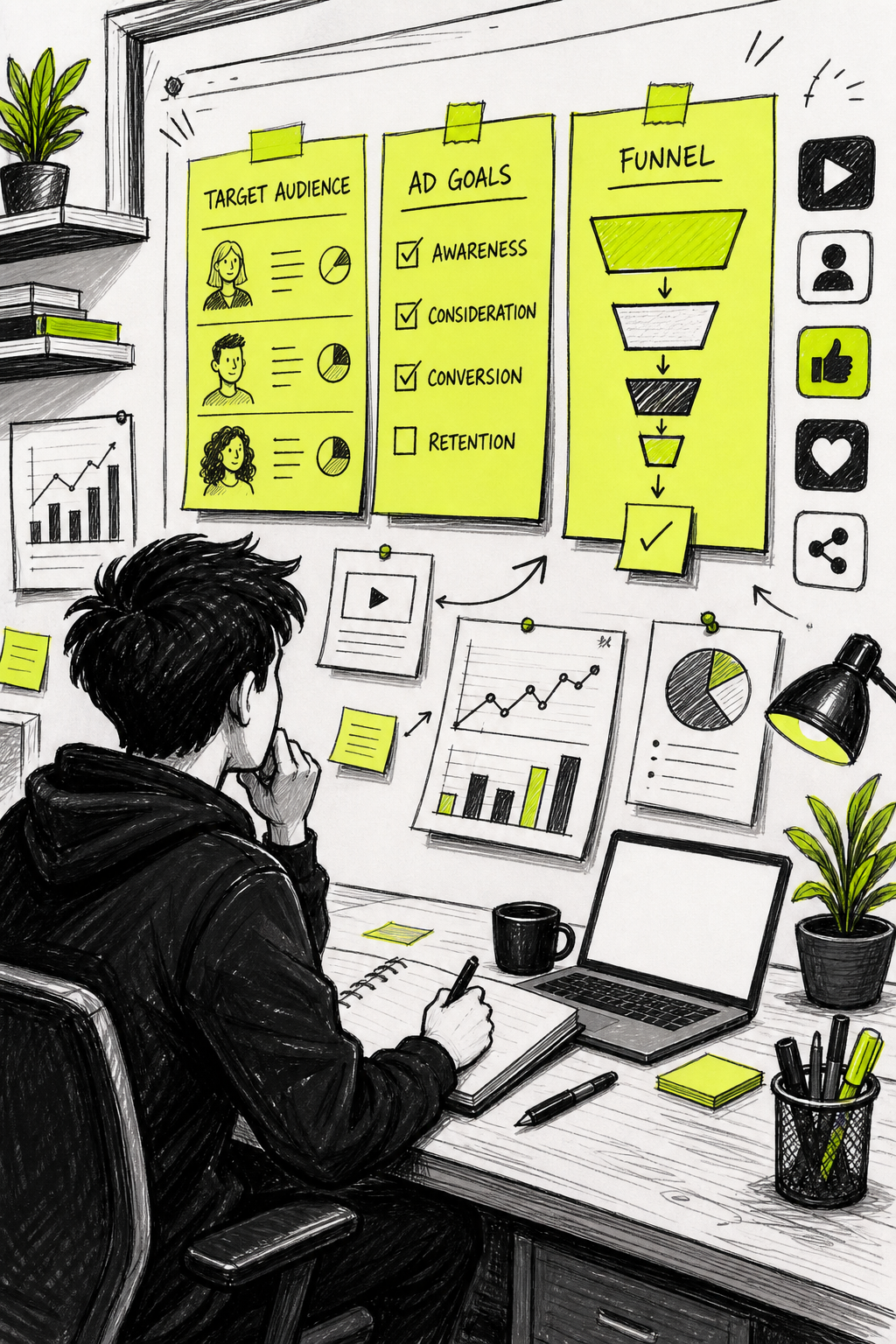
Your goal also determines your video length. TikTok and Reels perform best at 15 to 30 seconds. YouTube pre-roll ads need a strong hook in the first five seconds because viewers can skip after that. Knowing this before you prompt the AI saves you from having to redo everything later.
Once you have your goal and your audience locked, write both down in plain language. You'll paste them into your prompt in the next step. This small preparation step is what separates ads that convert from ads that just look pretty.
If you want a deeper look at the scripting side of this process, the guide on how to use an AI commercial generator step-by-step covers prompt structure and hook frameworks in detail.
Step 2: Write a Strong Prompt or Script
Your prompt is your brief. Everything the AI generates flows from what you write here, so five minutes on this saves you ten rounds of regeneration.
Start with your script. For a 15-second ad, you need roughly 30 to 40 words of spoken copy. For 30 seconds, aim for 60 to 80 words. Write the way you talk, not the way you write an email.
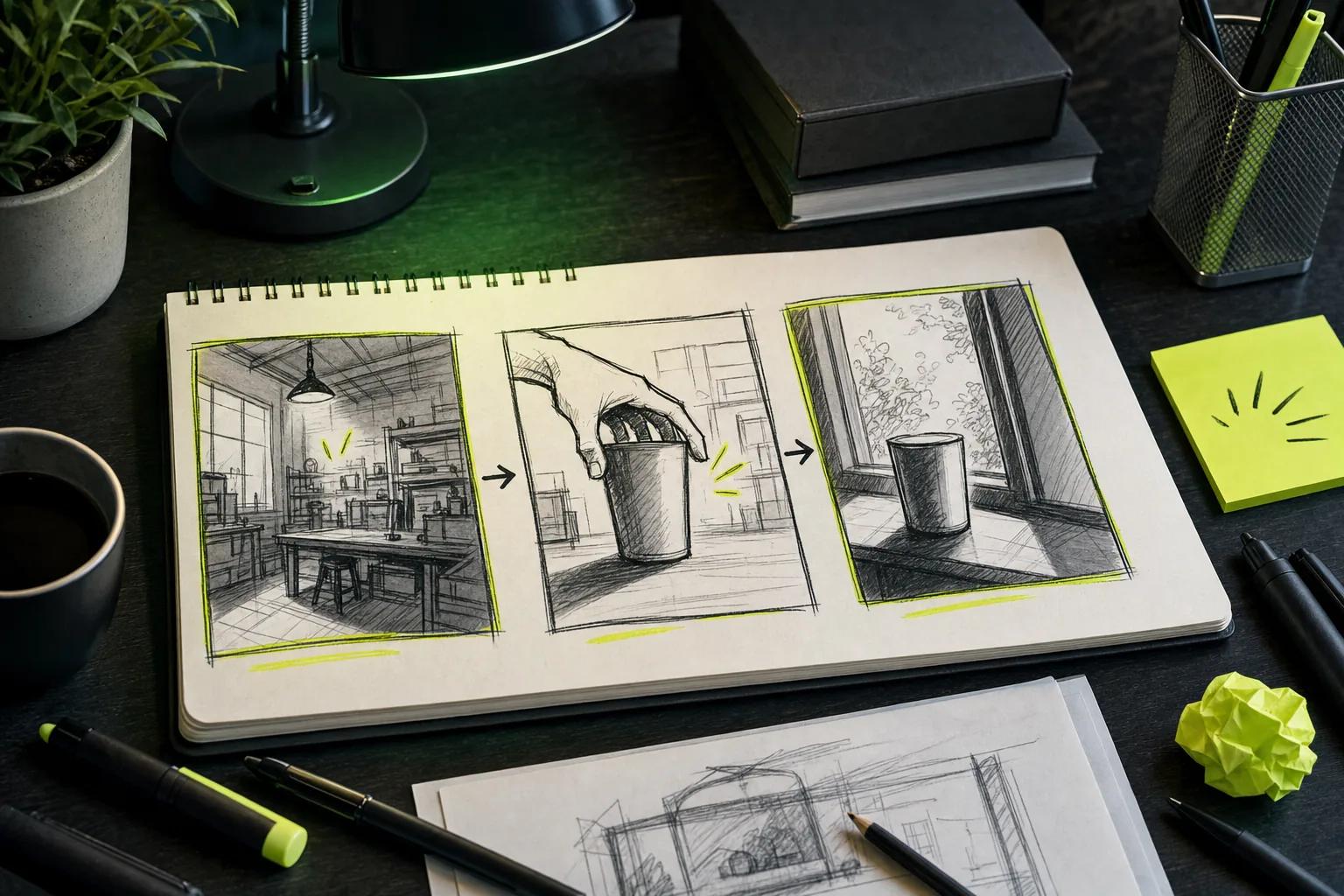
Once your script is solid, turn it into a visual prompt. Think like a director. Instead of "show the product," write something like: "Close-up dolly shot of a skincare serum on a marble countertop, warm morning light, steam rising from a coffee cup in the background." Name the camera move, the setting, the lighting, and the mood.
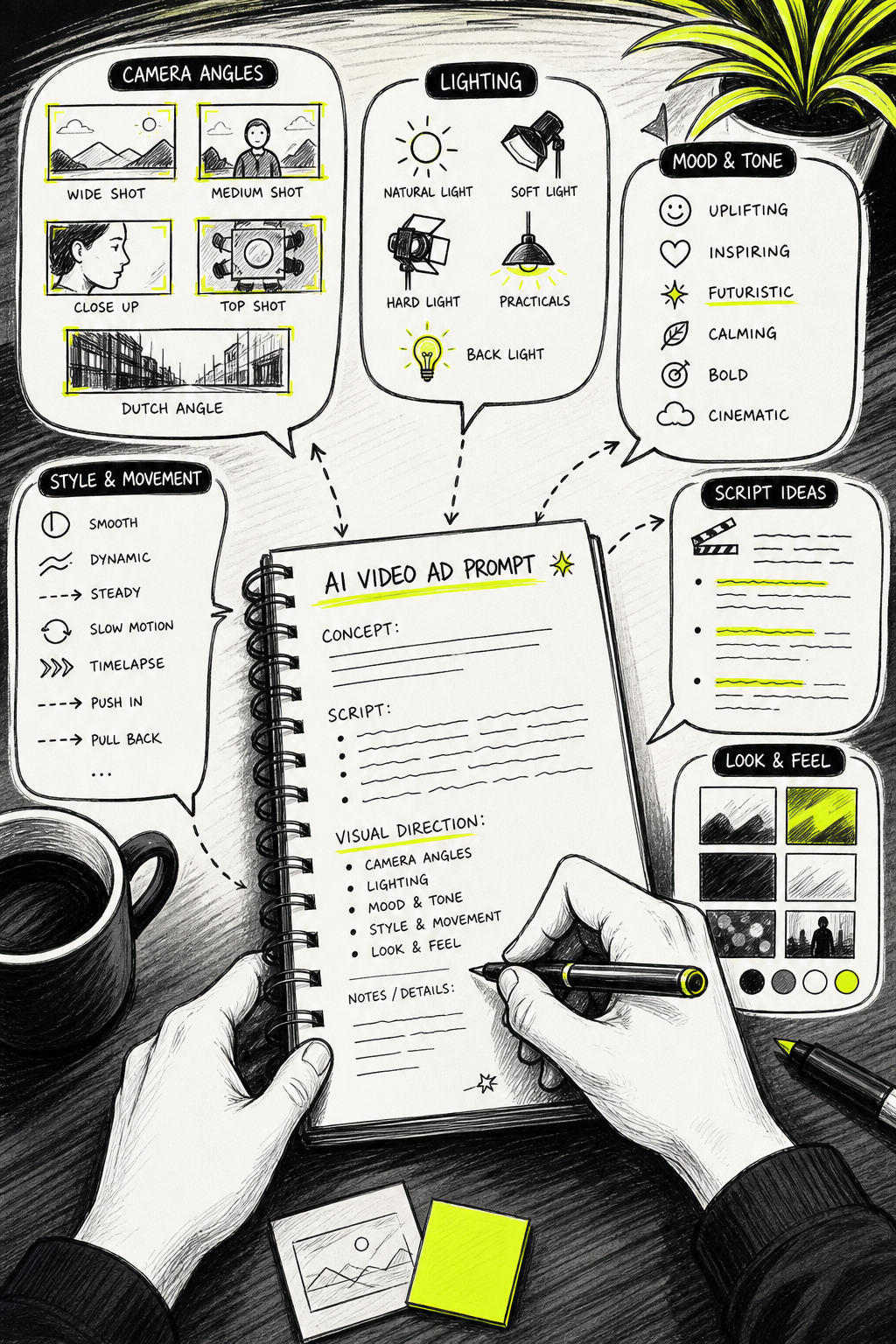
Here are the five hook structures that consistently work for short video ads:
- Pattern interrupt: Open with something unexpected. Best for scroll-stopping on TikTok and Reels.
- Bold claim: State the result up front. Works well for product demos.
- Question: Pose a problem your viewer already has. Strong for pain-point-led ads.
- POV: Put the viewer inside the experience. Great for lifestyle products.
- Social proof: Lead with a real result or number. Works across every platform.
Prompt reuse is a huge time-saver. Write your prompt general enough that you can swap in a different product description or hook and regenerate quickly. The best creators keep a text file with their base prompt and just update the variable parts each time.
One more thing: always include a call to action in the script itself. "Visit the link in bio" or "Shop now" needs to be part of the spoken copy, not just an afterthought overlay. If you're converting a written script into video, the guide on turning an AI script into video in minutes walks through the exact export process.
By the end of this step, you should have a written script and a visual prompt saved in a text file, ready to paste into your tool.
Step 3: Choose the Right AI Video Ad Maker
The tool you pick determines your output quality, format options, and how much manual work you do after generation. Most tools advertise "AI-generated ads" but only a handful deliver a true end-to-end pipeline. Many tools provide no detail on platform integrations, meaning hidden manual export steps are common.
Here's a comparison of the main options by use case:
| Tool | Best For | Automation Depth | Key Limitation |
|---|---|---|---|
| Seedance Studio | Creators and marketers needing fast, unrestricted video generation | Full: text-to-video, image-to-video, native sound, camera direction | No built-in avatar marketplace |
| HeyGen | Presenter-led and avatar-based ads | High: Video Agent automates full pipeline from a prompt | Avatar-focused; less flexible for cinematic product shots |
| Creatify | UGC-style ads and ecommerce creative | High: URL scraping, script generation, avatar video | Free plan limited to 10 credits/month (roughly 2 videos) |
| CapCut | TikTok, Reels, and Shorts creators | Medium: templates, AI voiceover, up to 4K export | General-purpose editor, not built for performance marketing |
| InVideo | Marketing teams needing polished explainers | Medium: assembles from 16M+ stock clips with AI voiceover | Template-heavy; limited creative flexibility |
| Zeely | Small ecommerce businesses | Medium: Shopify and Meta integration, static and video creative | Focused on small-business workflow, not cinematic output |
| Adobe Express | Design-heavy workflows | Medium: cross-platform publishing to TikTok, Google, LinkedIn | Steeper learning curve for non-designers |
Seedance Studio runs on Seedance 2.0, ByteDance Seed's flagship model, which currently ranks #1 for both text-to-video and image-to-video in independent benchmarks. You type a prompt or upload reference images and audio, and the model returns a finished video with automatic camera direction, consistent characters, and native sound already mixed in. No download, no waitlist. There's a free tier and paid plans starting at $14/month.
For creators who want to compare models before committing, the guide to the best AI video generator tools covers the full landscape with honest assessments of each platform's strengths.
The usable decision rule: if you need the fastest generation with the fewest constraints, Seedance Studio is the clearest starting point. If you need avatar-led presenter videos, HeyGen is the specialist. If you're running a Shopify store and want URL-to-ad automation, Creatify has that workflow built in.
Step 4: Customize Branding, Visuals, and Audio
Raw AI output is a starting point, not a finished ad. This step is where you make the video actually yours.
Start with branding. Add your logo, match your brand colors, and make sure the font in any text overlays is consistent with your other marketing. Most tools let you upload a brand kit or apply overlays after generation. If yours doesn't, export the clip and do this in a basic video editor.
Next, handle your audio in three layers:
- Voiceover: If the tool supports native dialogue generation, use it. If not, generate a voiceover separately with a text-to-speech tool and sync it to the clip. The key claim should land in the first three seconds , that's where scroll behavior is decided.
- Background music: Stick to royalty-free tracks or AI-generated audio where you own the output. Keep the music low enough that it supports the video rather than competing with it.
- Sound effects: A text-to-sound-effects generator lets you describe a sound and get samples back in seconds. This layer is easy to skip and immediately noticeable when it's missing.
Production-grade AI video tools typically offer a text-based editor that lets you control tone, delivery, gestures, and emotion in a single pass , which is a useful benchmark for what full audio customization looks like when you're evaluating options.
For character and visual consistency, upload reference images if your tool supports them. Seedance Studio accepts up to 12 references per generation , images, video clips, and audio tracks , tagged directly in the prompt. This keeps your character looking the same across every variation you generate, which matters enormously when you're running multiple ad sets.
Once audio is locked, add captions. Most platforms now auto-play videos without sound, so captions aren't optional , they're the difference between someone watching and someone scrolling past. Most AI video tools can generate captions automatically from the voiceover transcript. If you want more control over native sound generation, the guide on using an AI video generator with sound covers the full audio workflow.
Step 5: Generate Multiple Ad Variations Quickly
One ad is a test. Ten ads is a strategy. The real advantage of an AI video ad maker is how fast you can produce variations once you have a working base prompt.
There are four variables worth testing in your first batch:
- Hook: Change the first three seconds. Try a bold claim in version A, a question in version B.
- Aspect ratio: A 9:16 and a 1:1 of the same ad often perform differently on the same platform.
- Voiceover tone: Warm and conversational versus fast and urgent can shift conversion rates significantly.
- CTA phrasing:"Shop now" versus "See how it works" versus "Get yours today" all pull different audiences.
The workflow is straightforward. Write one base prompt, then create variants by changing the hook line or the opening visual. Keep your test variables isolated , change one thing per variant in your first round, then cross-test the winners. This way you know what's actually moving the needle.
If you're using Seedance Studio's two-tier approach, draft on the Mini model first. It generates quickly and cheaply, so a weak take costs almost nothing. Once you find a prompt that nails the structure, re-render on the standard Seedance 2.0 model for your final output. The comparison of Seedance 2.0 Mini vs Fast vs Standard explains exactly when to use each tier.
A usable target: aim for at least five variations before you spend a dollar on distribution. Marketers who skip this step often burn budget on a single creative that looked good but wasn't tested against anything. The variation that wins is rarely the one you predicted.
After ads are running, it also helps to have a system for managing the leads they generate. A CRM tool can connect your ad pipeline to a structured follow-up workflow, which matters more as your ad volume scales.
Step 6: Publish and Track Your Ad Performance
Export your final clip as an MP4 in H.264 at 1080p minimum. Most ad platforms accept up to 4K, but 1080p is the floor for anything that will run at scale. Before uploading, check your file size: TikTok's ad manager caps video uploads at 500MB, and Meta's Ads Manager at 4GB for most formats.
Platform-specific specs matter. Use 9:16 for TikTok, Instagram Reels, and YouTube Shorts. Use 16:9 for YouTube pre-roll and standard display. Use 1:1 for Facebook and Instagram feed posts. Getting this wrong after the fact means a re-render.
When you upload, set your campaign objective to match your goal from Step 1. Traffic campaigns, conversion campaigns, and awareness campaigns optimize differently , feeding the platform the wrong objective wastes budget no matter how good the creative is.
On disclosure: AI-generated synthetic media is subject to increasing platform requirements. YouTube, TikTok, and Meta all require some form of disclosure when content is meaningfully altered or synthetically generated and appears realistic. Treat this as a baseline step in your publishing workflow, not an afterthought. Failure to label can result in content removal or demonetization.
Track these four metrics from day one:
- Hook rate: What percentage of viewers watch past the first three seconds? Below 25% means the hook needs work.
- Watch-through rate: For a 15-second ad, aim for 50% or higher at the 10-second mark.
- Click-through rate (CTR): Industry benchmarks vary by platform and niche, but a CTR below 0.5% usually signals a weak call to action.
- Cost per result: This is your north star. Compare it across your variations to find your winner.
Once you have a winning variation, scale it. Use it as the base for your next round of prompt variations, and keep the creative rotation fresh. Ads fatigue faster than most marketers expect , plan to refresh your creative every two to four weeks on active campaigns.
If your ads are generating inbound interest beyond clicks, a dedicated lead routing tool can help connect high-intent phone leads from your campaigns directly to your sales team with real-time quality assurance.
FAQ
What is an AI video ad maker?
An AI video ad maker is a browser-based tool that generates finished video ads from a text prompt, reference images, or a script. You describe the scene, product, and tone, and the AI produces the visuals, camera movement, and often the audio in one pass. Tools range from simple text-to-video generators to full production platforms with built-in characters and multi-format export.
How long does it take to make a video ad with AI?
Most tools generate a 15-second clip in under two minutes. The real time investment is in writing a strong prompt and script , plan for 20 to 30 minutes total for your first ad, including prompt writing, generation, and basic customization. After your workflow is set, subsequent variations take five minutes or less.
Do I need any video editing skills to use an AI video ad maker?
No. Tools like Seedance Studio are fully browser-based and require only a text prompt or image upload. You don't need editing software, camera equipment, or production experience. Basic tasks like adding captions or adjusting audio levels are built into most platforms, and the output is share-ready on export.
How many ad variations should I test before spending money?
Start with at least five variations before putting budget behind any single creative. Test one variable at a time , hook, CTA, or aspect ratio , so you know what's actually driving performance. Marketers who test fewer variations tend to burn budget on creative that wasn't the strongest option available to them.
Which platforms can I publish AI video ads on?
Any platform that accepts video ads. TikTok, Instagram Reels, YouTube, Facebook, and Amazon are the most common. Each has specific file size and aspect ratio requirements. Export at 1080p minimum as an MP4, use 9:16 for vertical platforms and 16:9 for YouTube pre-roll, and always check current platform specs before uploading at scale.
Are AI-generated video ads allowed on TikTok and YouTube?
Yes, but both platforms require disclosure when content is synthetically generated and appears realistic. YouTube's policies specifically flag repetitive or mass-produced content that lacks original human value. TikTok requires labeling for AI-generated realistic images, audio, or video. Add a disclosure label as a standard part of your publishing workflow to stay compliant.
Conclusion
The workflow is repeatable once you run through it once: clear goal, strong prompt, right tool, branded visuals, multiple variations, and tracked performance. If you want to start immediately, create a free Seedance Studio account and generate your first clip with the Seedance 2.0 model , no credit card, no waitlist, and the output is ready to test on any platform today.