You already know what Seedance 2.0 is: ByteDance's #1-ranked AI video model, the one turning text prompts into finished clips with sound. (If not, start here.) This guide is about actually using it.
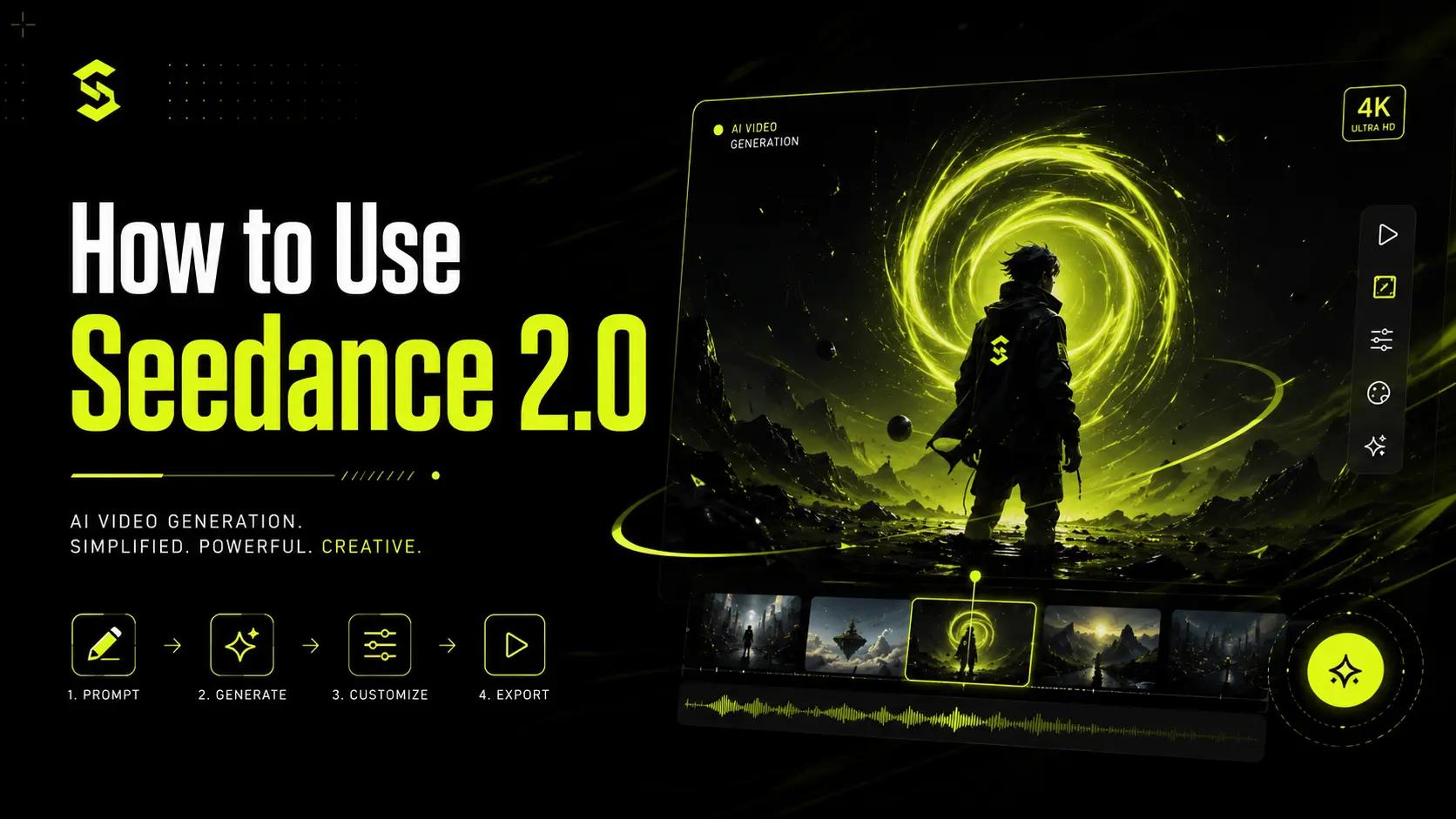
By the end you'll have generated your first video: written the prompt, optionally locked in a character or product with references, picked a format, and exported the result. Five steps, nothing to download, free to start.
What you need before you start
- A free Seedance Studio account. No card required.
- A clear idea of one shot. Subject, action, setting. "A chef flips a pancake in a sunlit kitchen" beats "something cool with food."
- Optional: reference files. Images, video clips, or an audio track, if you want a specific character, product, or motion style to carry through.
- A browser. That's the whole install.
Step 1: Create your account and open the studio
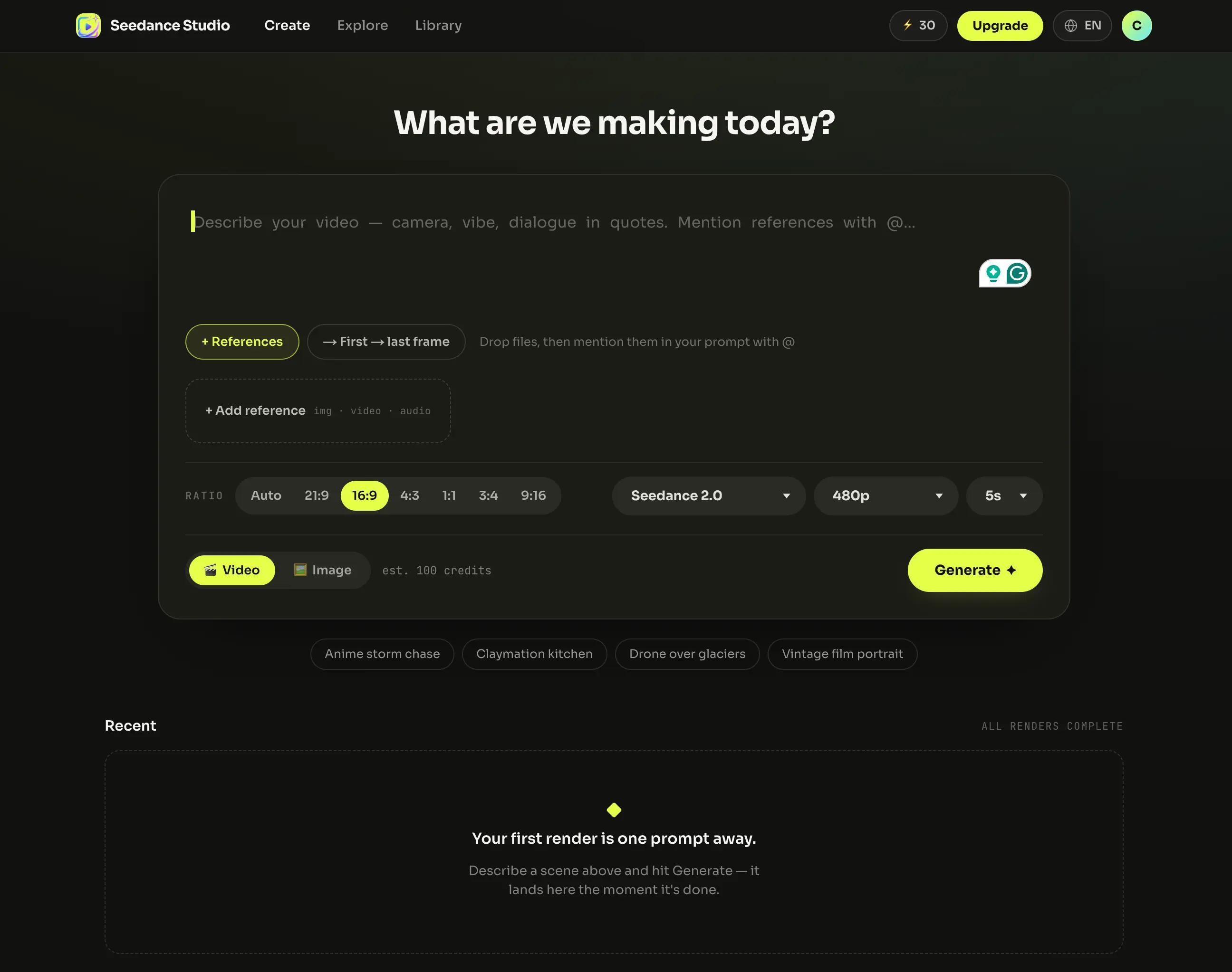
Sign up free. No invite code, no waitlist. When the studio opens, Seedance 2.0 is already the default model in the prompt box. You're looking at everything you need: a text field, a references area, and format controls.
Step 2: Write your prompt
Seedance 2.0 understands plain language, but it responds to the language of film. You don't need settings panels or keyword tags. You need a sentence that reads like a director's instruction.
Here's a working prompt, broken into its parts:
Slow dolly-in (camera) on a street racer leaning on her car at night (subject + setting), neon rim light, rain just ended (lighting). She smirks and says "you're already too late." (action + dialogue) Cut to wide as the engine roars, bass-heavy score kicks in. (second shot + sound)
Three things to notice:
- The subject and action lead. Seedance reads the front of the prompt first and builds the shot around it, so put who's in frame and what they're doing up top, style later.
- The camera move is named. "Slow dolly-in," "cut to wide." Seedance executes real film vocabulary instead of guessing at "cinematic."
- The dialogue is in quotes. Quoted lines become spoken words with matching lip movement. More on that below.
That's enough to generate. For the full craft (shot lists, escalation arcs, the complete prompt formula), see our Seedance 2.0 prompt guide. For your first video, one clear sentence with a named camera move will do.
Step 3: Add references (optional, but this is the superpower)
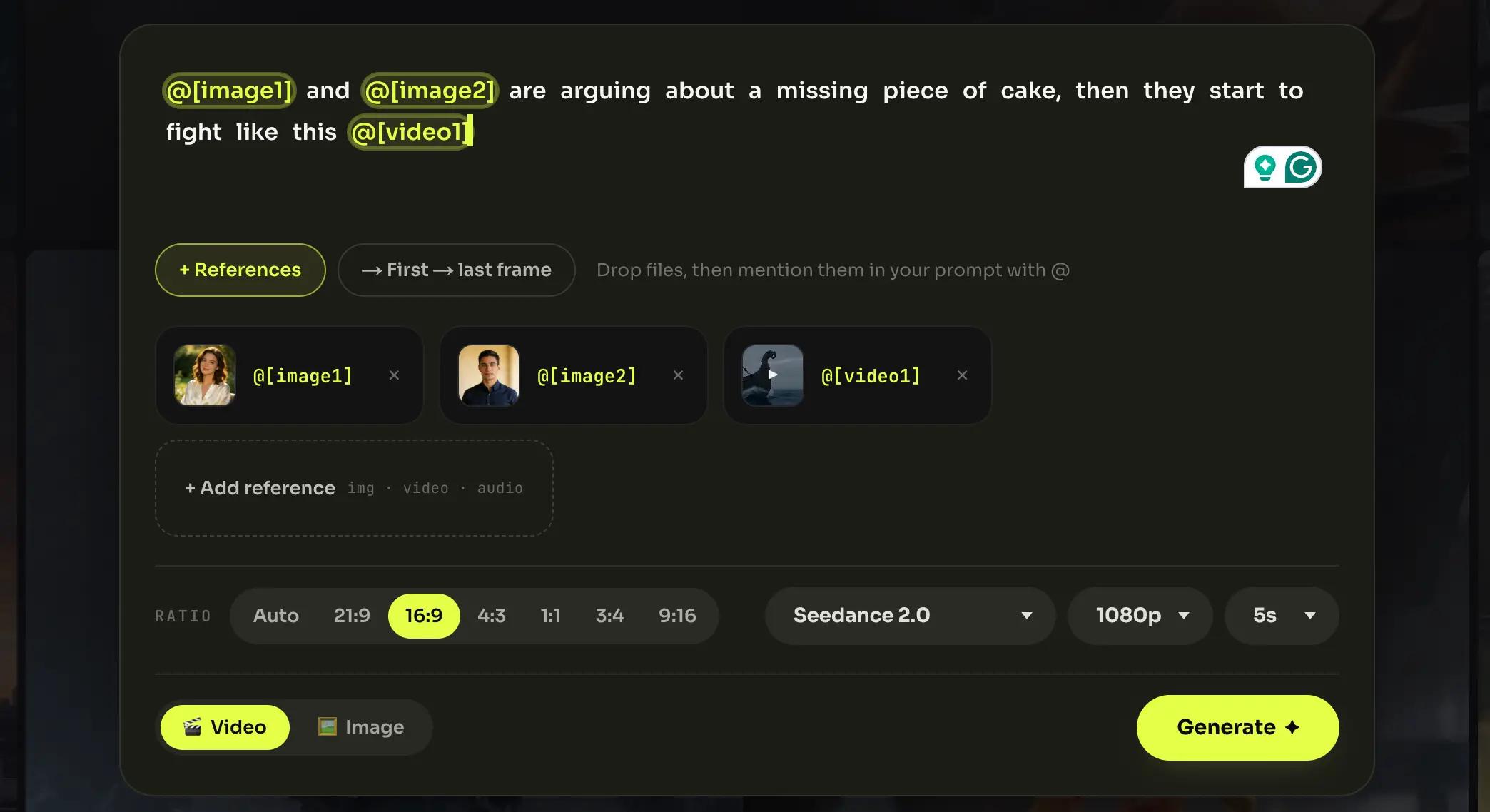
Text describes; references lock. Drop files into the references area and mention them in your prompt with an @ tag:
@image1 and @image2 are arguing about a missing piece of cake, then they start to fight like this @video1
You can attach up to 12 references per generation (9 images, 3 video clips, and 3 audio tracks), and each one plays the role you assign it in the sentence. In practice:
- An image locks identity. Upload your character or product once, tag it, and it looks the same in every shot.
- A video clip lends its motion. "Fight like this @video1" borrows the choreography or camera behavior of the clip, not its contents.
- An audio track sets the rhythm. Upload music and the cuts land on the beat.
If your first generation drifts (the character's face changes, the product warps), a tagged reference image is almost always the fix.
Step 4: Set your format
Three controls sit under the prompt box. Here's how to choose:
Aspect ratio: 9:16 for TikTok, Reels, and Shorts. 16:9 for YouTube and ads. 1:1 for feed posts. (21:9, 4:3, and 3:4 are there when you need them.)
Resolution: 480p on the free plan; 720p, 1080p, and 4K on paid plans. Iterate at lower resolution, render your keeper at high.
Duration: 4 to 15 seconds. Shorter clips generate faster and burn fewer credits; 5–8 seconds is the sweet spot for testing an idea.
You'll also see a model selector (Seedance 1.5 Pro, 2.0, 2.0 Fast, 2.0 Mini). Leave it on Seedance 2.0 for your first video; it's the best all-around choice. When you're ready to optimize for speed or cost, our model comparison explains when the other tiers make sense.
Step 5: Generate, review, export
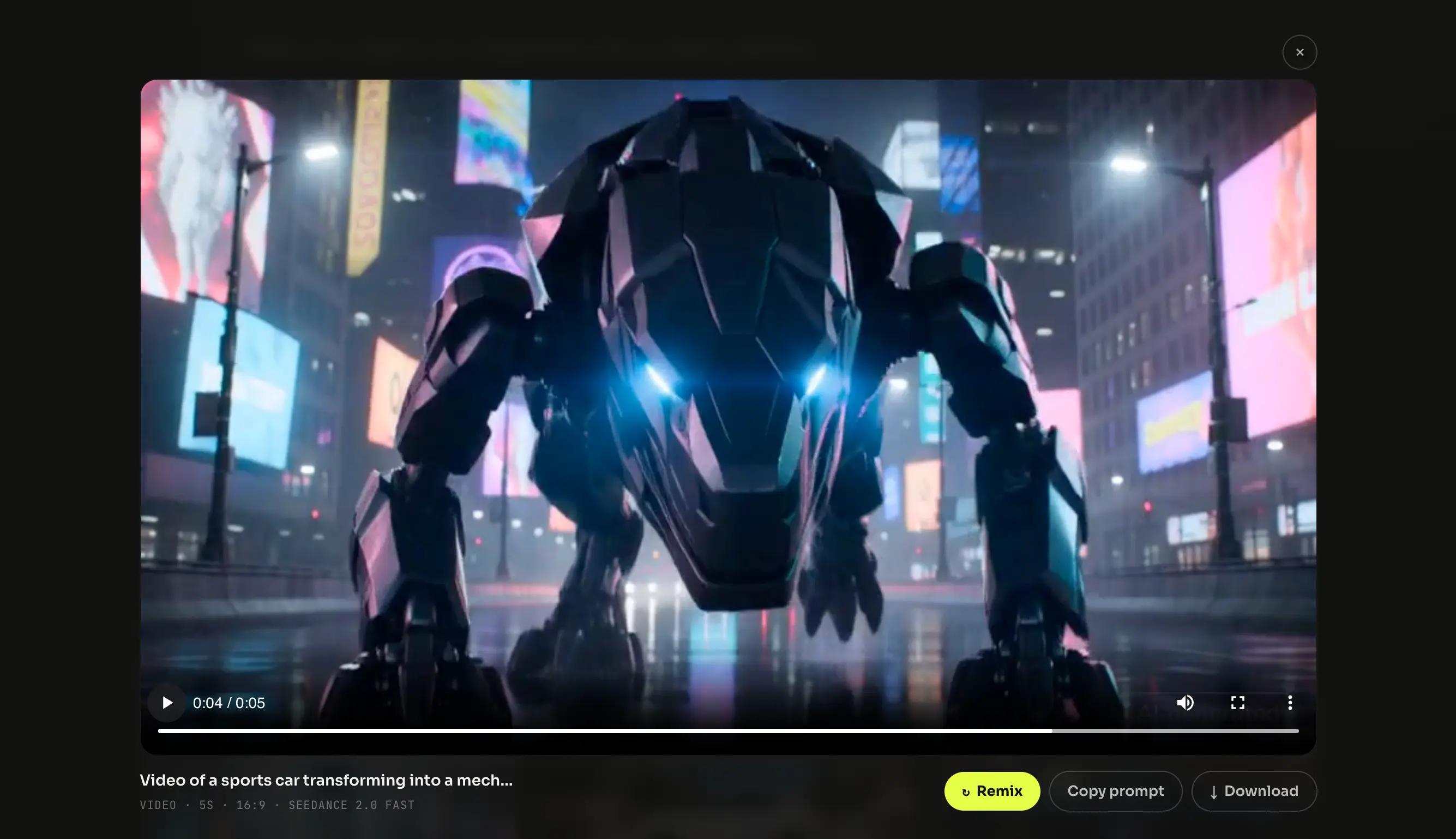
Hit Generate. Rendering takes a little while: long enough to sip a coffee, not long enough to make one. The finished clip lands in your media gallery with its audio already mixed in.
From there: download the MP4, or regenerate with a tweaked prompt. Free-plan exports are 480p with a watermark; paid plans remove the watermark, unlock higher resolutions, and include a commercial license for anything you publish.
That's the whole loop. Everything below makes the loop better.
How to use Seedance's lip sync feature
This is the feature people ask about most, and it's simpler than it looks: in Seedance Studio, lip sync isn't a separate tool. It's the quotation marks.
Put a spoken line in quotes anywhere in your prompt, and the character on screen says it, with voice, timing, and lip movement generated together with the picture:
Close-up on a weathered fisherman at dawn, fog on the water. He looks past the camera and says "storm's coming in faster than they said." His breath fogs in the cold air.
Step by step:
- Write the line in quotation marks. No audio upload needed for basic dialogue; the voice is generated.
- Anchor it to a subject. "He says," "the woman in red says." Make it unambiguous who's speaking, especially with multiple characters in frame.
- Pair it with a reference for a specific face. Tag a character image (@image1 says "...") and the lip sync lands on that face, consistent across shots.
- Keep lines short. One or two sentences per clip. Lip sync is strongest on clear, natural-length dialogue. It's a scene tool, not a full voice-over replacement for a 15-second monologue.
Everything syncs in one pass: the mouth, the ambient sound, the score around the line. There's nothing to align manually afterward.
Tips for better first results
- Front-load the subject. The first sentence should contain who and what. Style, lighting, and mood come after.
- One clear motion per shot. "She turns and walks toward the window" beats three stacked actions the model has to juggle.
- One strong descriptor beats five weak ones. "Neon rim light" does more than "beautiful, stunning, cinematic, gorgeous."
- Reference instead of describing. If something must look exactly right (a face, a logo, a product), upload it and tag it. Text approximates; references lock.
- Regenerate cheerfully. Iteration is the workflow. Tweak one variable per attempt, and you'll converge fast; free credits exist precisely so your first tries can be experiments.
Troubleshooting common first-run issues
The video ignores half my prompt. It's probably too long or back-loaded. Cut it down, put subject + action in the first sentence, one motion per shot.
My character looks different in every generation. Stop describing them in text. Upload a reference image and tag it (@image1) in the prompt. Identity described in words drifts; identity locked in a reference doesn't.
The dialogue isn't lip-synced. Check the quotation marks (only quoted lines are treated as spoken dialogue) and make sure the prompt says clearly who speaks.
I ran out of credits. The free plan includes a monthly allowance that resets each cycle; shorter, lower-resolution clips stretch it further. Paid plans and one-time credit packs are on the pricing page.
My export has a watermark. That's the free tier. Any paid plan exports clean, with a commercial license included.
Seedance 2.0 FAQ
Is Seedance 2.0 free to use?
Yes. The free plan includes a few videos a month at 480p, no card required. Paid plans start at $14/month.
Do I need to download anything?
No. Seedance 2.0 runs entirely in the browser, on desktop or mobile.
How long does it take to generate a video?
It depends on duration and resolution: short, low-res drafts come back fastest; long, high-res renders take more time. The finished clip lands in your media gallery when it's ready.
Can I use Seedance 2.0 on mobile?
Yes. The studio is browser-based, so it works on a phone the same way it works on a laptop.
How many references can I add?
Up to 12 per generation: 9 images, 3 video clips, and 3 audio tracks.
How do I make a character talk?
Put the line in quotation marks in your prompt. The character speaks it with matching lip movement. See the lip sync section above.
Can I use the videos commercially?
Every paid plan includes a commercial license. Free-plan exports are watermarked and meant for trying the tool.
Your first video is one prompt away
You now know more about using Seedance 2.0 than most people posting with it. Open the studio, write one sentence with a named camera move, and hit Generate.
Next up: the Seedance 2.0 prompt guide: the full formula, plus 21 ready-to-adapt prompts.