
AI video generation turns a line of text into a finished clip with camera movement, sound, and consistent characters , all without a camera or crew. The process runs through several distinct technical stages, and understanding them helps you get better results faster. Here's exactly how it works, step by step.
Step 1: Crafting the Input – Text and Multimodal Prompts
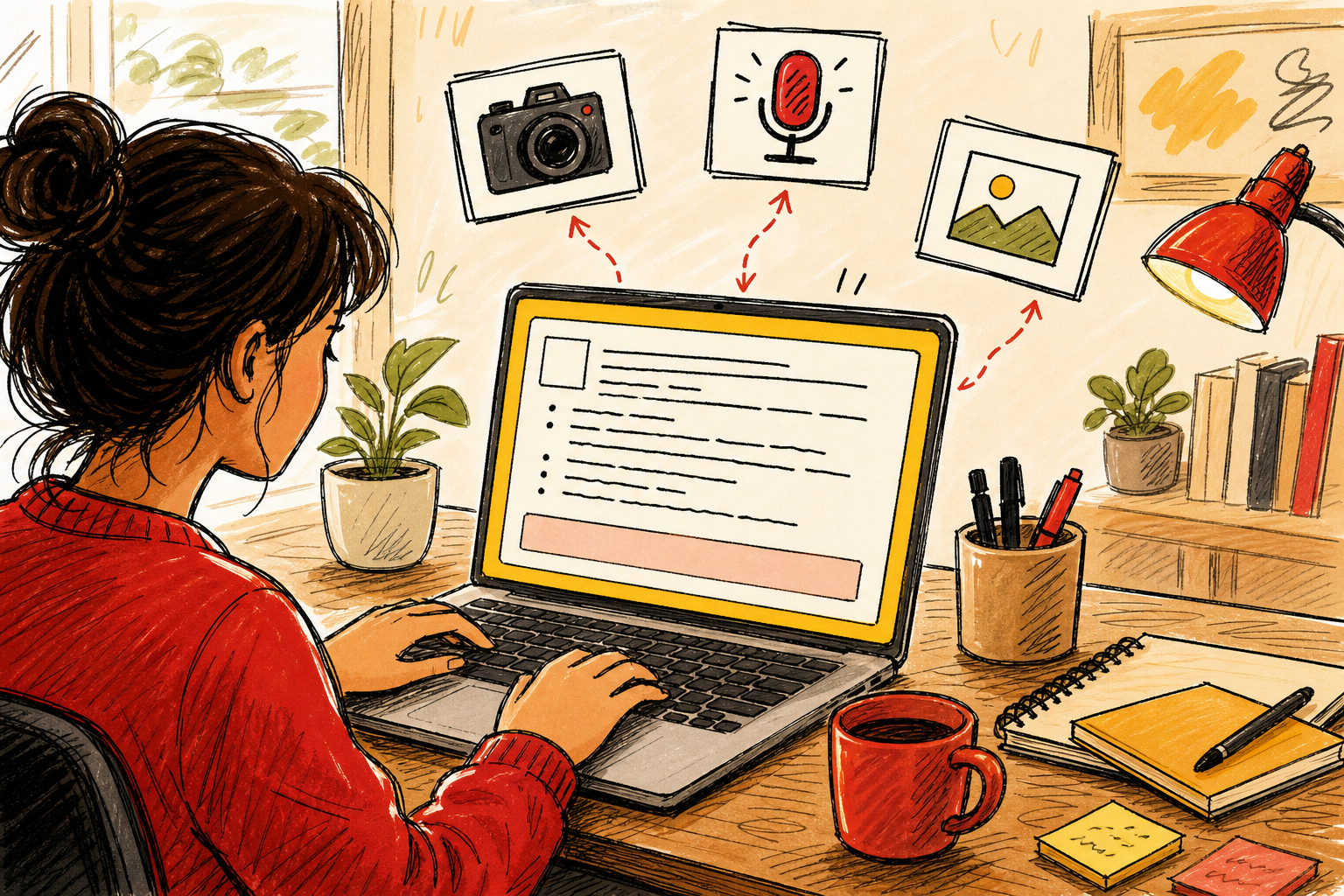
Every AI video starts with a prompt. Think of it as a director's instruction: you describe the scene, the subject, the camera move, and any sound you want to hear. The model reads that description and uses it to plan the entire output.
But modern systems go beyond plain text. Seedance Studio's multimodal prompting system accepts images, video clips, and audio tracks alongside your written description. You can upload a photo of a person to lock their appearance, attach a clip whose camera movement you like, and tag an audio file for sync reference , all in one pass.
According to research published in PMC's peer-reviewed literature on AI video synthesis, prompt creation is treated as its own pipeline stage. A well-formed prompt feeds every downstream process, so weak inputs produce weak outputs. The model can only work with what you give it.
Plain language works fine for simple scenes. For complex ones, treat the prompt like a shot list: subject, action, setting, camera move, lighting, and any dialogue in quotes. The more specific you are, the less the model has to guess.
Step 2: Understanding the Core Technology – Diffusion Models
Once the model receives your prompt, it needs a way to actually build images. That's where diffusion models come in. A diffusion model learns to generate pictures by studying a process in reverse: it starts with pure visual noise and gradually refines it into a coherent image, guided by your text description.
The specific variant used in video generation is called alatent diffusion model. Instead of working on raw pixels (which would be enormous), it compresses the image into a smaller mathematical space called a latent space, runs the diffusion process there, then decodes the result back into pixels. This is far more efficient and is the same approach behind Stable Diffusion, one of the most studied image generation architectures.
Research indexed on PubMed confirms that image latent diffusion model pre-training is a foundational stage in video generation pipelines. The model trains on large datasets of still images first, building a rich visual vocabulary before any motion is introduced. Think of it as teaching the system what things look like before teaching it how things move.
This pre-training step matters because it's expensive and time-consuming to do from scratch. By starting with a strong image model, video systems inherit millions of learned visual concepts , faces, textures, lighting, perspective , and then build motion on top of that foundation rather than learning everything at once.
One honest limitation: diffusion models can struggle with out-of-distribution inputs. If you hand the model a highly stylized or unusual reference image, it may not handle it gracefully. That's a documented weakness in the user control specification stage, where the system collects your references and tries to integrate them. Keep reference images clear and representative of the style you want.
Step 3: Adding Motion – Temporal Modules and Two-Stage Training
A diffusion model that only generates still images isn't enough. To make video, the system needs to produce a sequence of frames that flow naturally from one to the next. That's the job of temporal modules.
Temporal modules are added to the pre-trained image diffusion model. They use a technique called causal attention, which means each frame can only "see" the frames that came before it, not the ones ahead. This mirrors how real video works: the present moment is shaped by what already happened, not by what comes next.
The training happens in two stages. First, the model trains on still images to build visual knowledge. Then it trains again on video data with the temporal modules active. This two-stage approach, documented in peer-reviewed video generation research, cuts compute costs while improving output quality. You get a model that understands both what things look like and how they move, without having to learn both from scratch simultaneously.
The causal attention mask also solves a specific problem: longer videos tend to drift. Without it, frames generated late in a sequence can lose coherence with the opening frames , characters change subtly, lighting shifts, scenes lose continuity. The mask strategy mitigates this by keeping each frame anchored to what came before. Even so, very long sequences without a reconstruction loss can still drift, which is why most current tools cap single-pass generation at 15 to 30 seconds.
If you want to see how this plays out in a real tool, Seedance 2.0's three generation tiers(Mini, Fast, and Standard) show how compute allocation affects temporal consistency and audio sync quality at different clip lengths.
Step 4: Putting It All Together – From Prompt to Finished Video
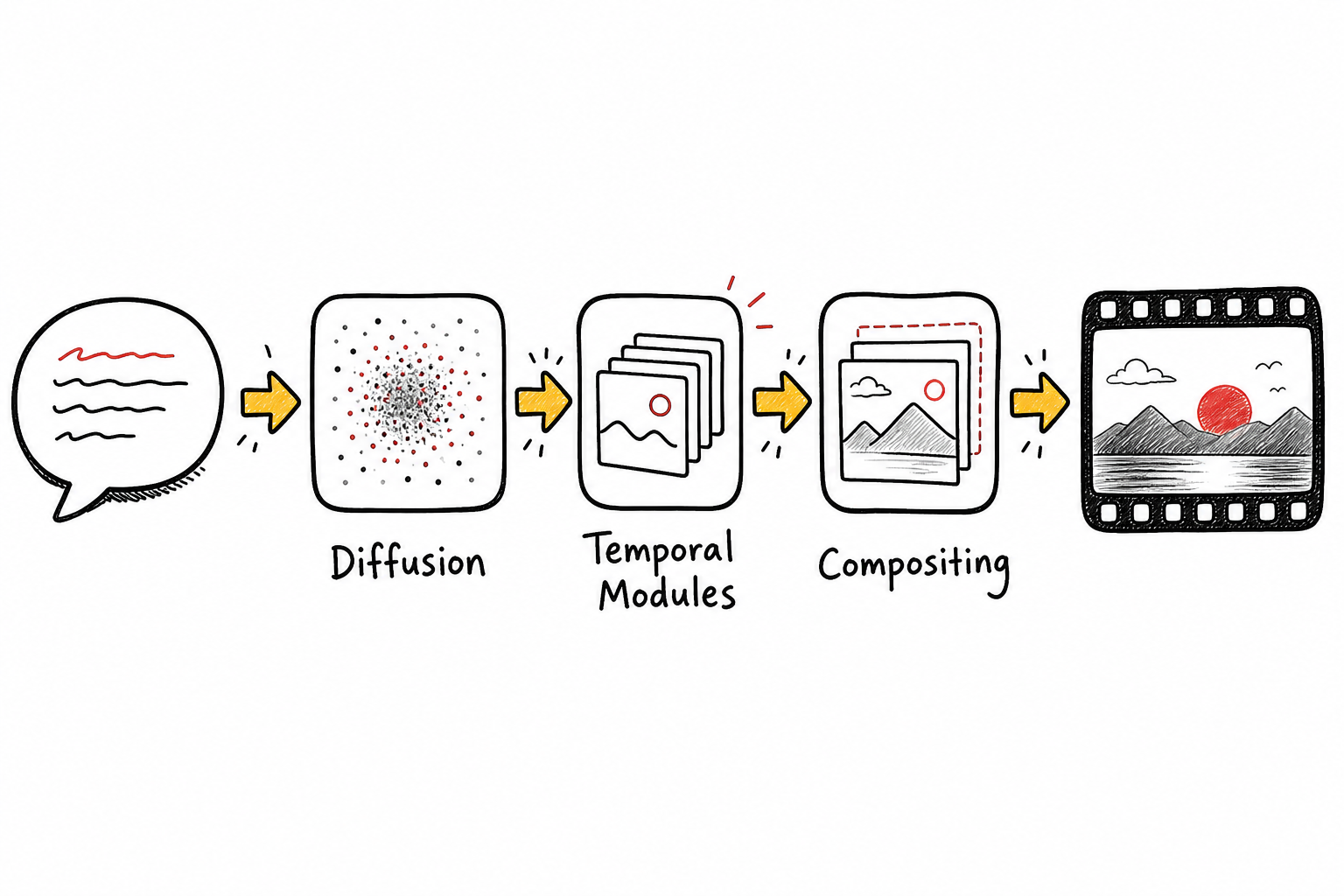
With the diffusion model trained and temporal modules in place, the full generation pipeline assembles your output. Here's what actually happens between the moment you hit generate and the moment a finished clip appears.
First, the system processes your multimodal inputs: text prompt, reference images, video clips, audio. It builds a background video from your image and any camera trajectory you specified, using a camera-to-video model. Then it handles foreground elements separately, compositing your subject into the scene using depth and edge information to make the placement look natural rather than pasted.
Next, the system runs variational inference with a technique called Stein Variational Gradient Descent (SVGD). In plain terms: it starts with a rough latent representation of your video and iteratively refines it toward the target content your prompt described. Each step pushes the output closer to what you asked for. The limitation here is that deterministic updates can settle into local optima, which is why generating two or three versions of the same prompt often produces noticeably different results , and why iteration is a normal part of the workflow, not a sign something went wrong.
Finally, the system decodes the refined latents back into video frames, mixes in the audio (generated natively in the same pass), and outputs an MP4. For tools like Seedance Studio, this whole process runs in a browser with no download required. You get camera direction, consistent characters, and native stereo sound from a single prompt.
One usable note: speech generation is the stage most likely to show flaws. Research comparing tools including Sora, HeyGen, and Synthesia found inconsistent speech, distracting gestures, and emotional bias as reported issues. If dialogue quality matters for your use case, test a short clip with a spoken line before committing to a full production run. For a deeper look at how AI video generators handle sound natively, the key is whether audio is generated in the same pass as the visuals or added afterward , the former produces tighter sync.
Step 5: Choosing the Right AI Video Generator – What to Look For
Understanding the pipeline helps you evaluate tools honestly. Here's what actually separates good generators from mediocre ones.
Model quality and ranking.The underlying model determines output quality more than any interface feature. Seedance Studio runs on Seedance 2.0, ByteDance Seed's flagship video model, which ranks first for both text-to-video and image-to-video. That ranking reflects benchmark performance, not marketing copy. Start with the model, then evaluate the interface around it.
Multimodal input support.A text-only generator limits what you can do. Look for tools that accept image references (to lock character appearance), video clip references (to borrow a camera move), and audio references (for sync). Seedance 2.0 supports up to 12 references per generation , 9 images, 3 video clips, and 3 audio tracks , in a single pass.
Native audio generation.Audio added after the fact rarely syncs well. Native audio means the score, ambient sound, and dialogue are generated alongside the frames, so a sound lands on the exact frame it should. This is a hard technical requirement, not a UI preference.
No waitlist, no download.Browser-based tools with immediate access save time. Seedance Studio has no waitlist and runs entirely in the browser, with a free tier and paid plans starting at $14 per month. That's a meaningful difference when you need to post before a trend dies.
API access for scale.If you're producing content at volume, a REST API matters. The Seedance API lets you submit a prompt programmatically and receive a finished MP4 with native sound , the same output as the studio app, driven from your own code. Every paid plan includes API access.
One honest caveat: no current tool handles every edge case perfectly. Out-of-distribution reference images, very long sequences, and complex multi-character dialogue are all areas where any generator can stumble. The right tool is the one whose failure modes matter least for your specific use case.
FAQ
What does a diffusion model actually do in AI video generation?
A diffusion model generates images by starting with random noise and gradually refining it into a coherent picture, guided by your text prompt. In video generation, this process runs on a compressed latent representation of each frame rather than raw pixels, which makes it fast enough to generate multiple frames in sequence. The model learns what things look like from image pre-training, then learns how things move through additional video training.
Why do AI-generated videos sometimes look inconsistent between frames?
Frame inconsistency happens when the temporal modules lose track of earlier frames during generation. Causal attention masks reduce this by anchoring each new frame to the ones before it, but very long sequences without a reconstruction loss can still drift. Using consistent reference images across generations and keeping clips under 15 seconds significantly reduces the problem in practice.
Can AI video generators produce synchronized dialogue?
Yes, but quality varies. Some generators add audio after the fact, which produces loose sync. Native audio generation, where voice and lip movement are created in the same pass as the video frames, produces much tighter results. Put dialogue in quotation marks in your prompt and the model generates voice, timing, and lip movement together. Research comparing multiple tools found speech inconsistency is a common reported flaw, so testing a short dialogue clip before a full run is worth the time.
How long does it take to generate an AI video?
Generation time depends on clip length, resolution, and the model tier you use. A 5-second clip at 720p typically renders in under a minute on a fast model. Longer clips at 4K take more time. Most browser-based tools, including Seedance Studio, let you iterate at lower resolution first, then re-render at full quality once the prompt is right , which saves both time and credits on the final output.
Do I need technical knowledge to use an AI video generator?
No. Modern tools are designed for plain-language prompts. You describe the scene like you'd explain it to a filmmaker: subject, action, setting, camera move. Technical terms like "push-in" or "shallow depth of field" improve results, but they're not required. The underlying pipeline handles the complex processing automatically. If you can write a clear sentence, you can generate a usable video.
What input formats do AI video generators accept?
Most accept text prompts as a minimum. Better tools also accept JPG and PNG images as character or style references, short video clips to borrow camera movement, and audio files for sync. Seedance 2.0 accepts all four input types in a single generation, which lets you lock a character's appearance, specify a camera move, and sync to music without separate workflows.
Conclusion
The pipeline behind AI video generation runs from prompt to latent diffusion to temporal modules to composited output , and every stage matters. If you want to put that pipeline to work without setting up anything, Seedance Studio gives you direct access to Seedance 2.0 in a browser, with no download and no waitlist. Generate your first AI video in five steps and see what the model does with a single well-written prompt.


