Seedance 2.0 Mini vs Fast vs Standard: Which Model Should You Use?
Open the prompt box in Seedance Studio, and you'll find three versions of the same model in the picker (Seedance 2.0, Seedance 2.0 Fast, and Seedance 2.0 Mini), alongside the older Seedance 1.5 Pro. Nothing in the dropdown tells you which one your project needs, so most people either stick with the default or burn credits finding out.
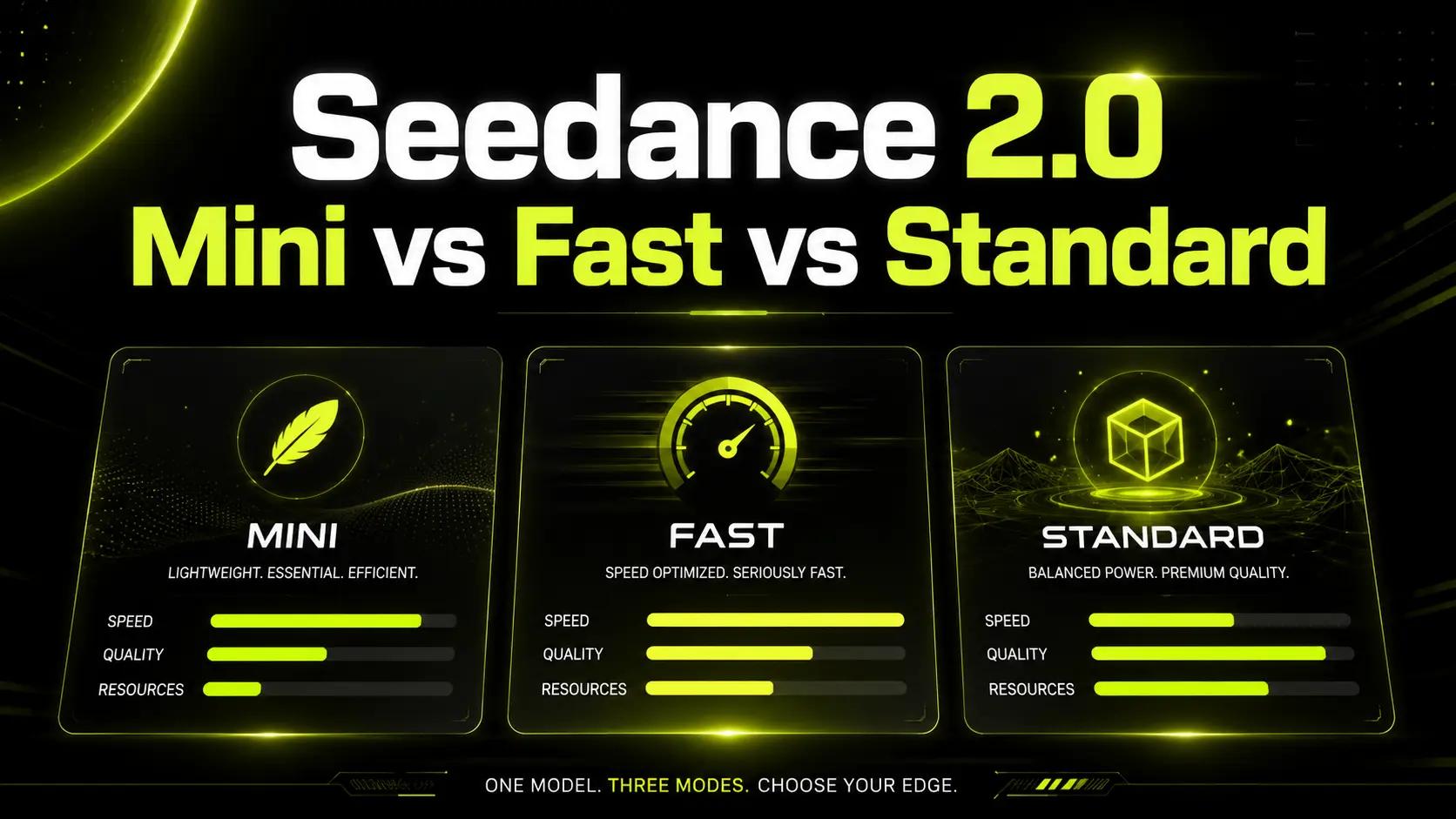
Here's the short version: iterate on Mini, ship on standard 2.0, and treat Fast as the legacy option Mini has mostly replaced. The rest of this post explains why, with the specs, the costs, and the workflow that gets you flagship quality without flagship prices on every draft.
Quick answer: Which Seedance model should you use?
- Testing prompts, making lots of variations, or working on a budget → Seedance 2.0 Mini. The newest and cheapest tier, built for volume, and more capable than its price suggests.
- The final render: client work, hero shots, anything you'll publish at full quality → Seedance 2.0 (standard). Highest fidelity, highest resolution, the model that tops the benchmarks.
- You've built a workflow on Fast, and it's working → Seedance 2.0 Fast still exists. But if you're choosing fresh today, Mini beats it on the same job.
If that's all you needed, go generate. If you want to understand the trade-offs, keep reading.
Seedance 2.0 (standard): the flagship
Standard Seedance 2.0 is the model against which everything else in this post is measured: the version that ranks #1 for text-to-video and image-to-video in the Artificial Analysis arena.
The full spec: clips of 4–15 seconds at up to 4K, six aspect ratios, up to 12 references per generation (9 images, 3 video clips, 3 audio tracks), and native stereo audio with lip-synced dialogue. It has the strongest multi-shot consistency in the family (characters stay themselves across cuts) and the most reliable rendering of hard motion: water, cloth, collisions, crowds.
Use it when the output is the deliverable. A client spot, a hero product shot, a scene with dialogue that has to land. Standard 2.0 costs the most per generation of the three, which is exactly why it shouldn't be the model you experiment on.
Seedance 2.0 Fast: the original budget tier
Fast was the family's first economy option: a lighter version of 2.0 that trades motion stability and fine detail for cheaper, quicker generations. Before Mini arrived, it was the sensible choice for drafts and iteration.
Its position today is more awkward. ByteDance's launch benchmarks for the newer Mini tier, largely echoed by early third-party reviews, put Mini at roughly twice Fast's speed with comparable or better quality, which leaves Fast without a clear job. If you already have prompts and pipelines tuned on Fast, it keeps working exactly as before. But there's no strong reason to start on it in 2026.
We'd rather tell you that plainly than pretend all three tiers are equally current.
Seedance 2.0 Mini: the newest, cheapest tier
Mini is ByteDance's most recent addition to the 2.0 family (launched mid-June 2026), and unusually for a model lineup, the budget option is also the newest one. It's a distilled version of standard 2.0 (same architecture, same prompting system, less compute per generation) built for high-volume, cost-sensitive work: social variations, e-commerce clips, prompt testing, anything where you need ten attempts more than you need one perfect frame.
Nothing is missing on the input side: text-to-video, image-to-video, and reference-driven generation all carry over, multimodal references included, so your characters and products stay consistent even at the budget tier. What it gives up: top-end resolution and the last degree of fidelity. Per the reporting available at launch, Mini outputs are capped below the standard 2.0's ceiling (think social-ready, not broadcast-master), and ByteDance hadn't published a final official spec sheet, so exact figures vary between sources.
The practical read: Mini is the right tool when volume is the job (a week's worth of ad variants, a run of trend tests) and the wrong one when a single flawless 4K spot is. Finals belong on standard 2.0.
Don't confuse it with "Seed 2.0 mini," ByteDance's similarly named text model: same company, unrelated product. This post is about the video model.
Side by side: Seedance 2.0 vs Fast vs Mini
| Capability | Seedance 2.0 | Seedance 2.0 Fast | Seedance 2.0 Mini |
|---|---|---|---|
| Positioning | Flagship / final render | Legacy budget tier | Newest budget tier |
| Max resolution | Up to 4K | Lower than standard | Social-ready, below standard's ceiling |
| Clip length | 4–15 seconds | 4–15 seconds | 4–15 seconds |
| Reference inputs | Up to 12 (9 img / 3 vid / 3 aud) | Reference system supported | Reference system supported |
| Relative cost per generation | Highest | Low | Lowest |
| Relative speed | Slowest | Fast | Fastest (reported ~2× Fast) |
| Best for | Client-ready finals, dialogue scenes, 4K | Existing Fast workflows | Iteration, drafts, volume output |
Prompting technique transfers across all three: the prompt formula you learn on Mini works identically on standard 2.0, because they share the same prompting interface. That fact is what makes the workflow below possible.
The two-stage workflow: iterate on Mini, ship on 2.0
The easiest way to overspend on AI video is to pay flagship prices for every experiment. The fix is a two-stage loop:
- Draft on Mini. Test the prompt, the framing, the camera move, the escalation arc. Generate freely; each attempt costs a fraction of a standard render, so a weak take costs you almost nothing.
- Lock the prompt. When a Mini generation nails the structure (right subject, right motion, right beat), you're done experimenting.
- Re-render on standard 2.0. Same prompt, same references, flagship model. The final pass gets the full resolution, the strongest consistency, and the tightest audio sync.
The final render is flagship quality, but only the final render is billed like one. And because iteration got cheap, you'll actually try the third and fourth idea instead of settling for the first one that half-worked.
How credits map to each model
Every Seedance Studio plan works on credits, and lighter models and shorter clips consume fewer of them. Billing follows the video you generate, so a quick draft costs a fraction of a full 15-second final. That's why the same monthly allowance stretches much further when drafts run on Mini and only finals run on standard 2.0.
Plan allowances and current rates are on the pricing page. The rule of thumb stands regardless of the exact numbers: drafts on the cheap tier, finals on the flagship.
Seedance model FAQ
What's the difference between Seedance 2.0 and Seedance 2.0 Mini?
Mini is a distilled, cost-optimized version of standard Seedance 2.0: same prompting system and reference support, faster and cheaper per generation, with a lower resolution ceiling. Standard 2.0 remains the highest-fidelity tier for final renders.
Is Seedance 2.0 Mini better than Seedance 2.0 Fast?
For most work, yes. Launch benchmarks (ByteDance's own, largely echoed by early reviews) put Mini at roughly twice Fast's speed with comparable or better quality at lower cost, which is why Mini has effectively taken over Fast's role as the iteration tier.
Which Seedance model is the cheapest?
Seedance 2.0 Mini is the lowest-cost tier of the family, with Fast close behind and standard 2.0 the most expensive per generation. Check current rates on the pricing page before running a big batch.
Can I get 4K video from Seedance 2.0 Mini?
No. The top resolution belongs to the standard Seedance 2.0. Mini targets social-ready output; render your final on standard 2.0 when you need maximum resolution.
Does Seedance 2.0 Fast still make sense?
If you have an existing workflow on it, it keeps working. For new projects, Mini does the same job faster and cheaper.
Will Seedance 2.5 replace all three tiers?
Seedance 2.5 becomes the new flagship when it ships, and Seedance 2.0 stays available as a model option, so nothing you've built breaks. How the budget tiers evolve alongside it is ByteDance's call; our Seedance 2.5 guide tracks what's confirmed.
Try all three on the free plan
The model picker is the fastest teacher: run the same prompt through Mini and standard 2.0 and watch what the fidelity gap actually looks like on your content.