AI video pricing can look cheap at first, then jump fast once you add retakes, high resolution, or sound. Some tools start below $10 a month, while premium services can cost far more.
The safest approach is simple: define your output, translate credits into finished clips, test quality, then choose the smallest plan that fits. Here’s how to do it.
Step 1: Define What You Need From an AI Video Creation Service
AI video creation service pricing only makes sense after you define the work the service must do. A plan for two TikTok clips a week is very different from a plan for daily ad tests.
Start with your publishing target. Write down how many finished videos you need each month. Then note the typical length. A 10-second product hook uses a different budget from a 60-second story clip.
- Short social clips: Pick a service built for vertical output and quick retries.
- Product demos: Look for image-to-video tools that keep a product close to its reference image.
- Talking-head content: Check avatar quality, lip sync, and voice options.
- Short films: Give more weight to character consistency and scene control.
- Client work: Confirm commercial rights before you make a paid plan part of your workflow.
Length is one of the first cost drivers. Short clips in the 7-to-15-second range tend to cost less than 30-to-60-second clips. That makes short-form content easier to test, especially when a campaign needs several hooks.
Next, separate generation from finishing. Some services generate a scene only. Others include voiceover, editing, captions, or a final cut. A low monthly fee may look good until you need three extra tools to finish one ad.
For example, a script-to-video service may save time on a simple explainer. A visual model may be better for a product shot with a moving camera. Don’t pay for a large content pipeline when you only need one part of it.
Pay-per-use pricing can suit occasional work. Monthly plans tend to make more sense once you generate on a steady schedule. One pricing review places the break-even point for subscriptions above roughly 60 to 90 seconds of monthly output, though your result depends on retakes and model choice. Treat that figure as a starting test, not a promise.
Seedance Studio fits creators who need short, polished clips for TikTok, Reels, or Shorts. We support text-to-video and image-to-video work in the browser, with reference assets for stronger character and scene control. The free tier gives you a way to test the workflow before you pay.
If your main goal is ad production, pair this cost check with a workflow for using an AI video generator for ads. The right plan is the one that helps you produce finished variations, not the one with the biggest raw credit number.
Step 2: Understand Credits, Video Limits, and Other Pricing Rules
Credits are the main reason AI video creation service pricing feels hard to compare. One service may charge per second. Another may charge a set number of credits for each render.
Before you compare plans, find four details on the pricing page:
- How many credits renew each month?
- How many credits does one clip use?
- Do unused credits roll over?
- Do failed or rejected generations still cost credits?
Then check what changes the credit burn. Higher resolution often costs more. Longer clips also cost more. Audio, lip sync, stronger motion, and multi-shot modes may use a larger share of your allowance.
A free tier can hide a second limit. Some free credits renew. Others are a one-time gift. Research across AI video services found that many free offers disclose little detail, so you should test whether the allowance returns after the first billing cycle.
Runway, for example, is listed with 125 free credits that do not renew. Kling is described with daily login credits, while Pika’s lower tier is tied to a monthly credit pool. These offers may all say “free,” but they support very different testing habits.
Resolution can change the value of a plan. Budget access may stop at 480p. A higher tier may support 1080p or 2K. That matters when a clip will run as a paid ad or appear on a large screen.
Use the same test prompt at two resolutions. Keep the subject, camera move, and duration fixed. If the lower setting already looks clean on a phone, save the higher setting for the final export.

Output format is another detail people skip. Check whether the service gives you the shape you need for a vertical ad, square post, or widescreen video. A clip that needs a crop may lose the product or the person at the center of the frame.
Also check watermark rules and commercial rights. A free export may include a watermark. A paid plan may remove it. Rights can also change between free and paid access, so read the plan terms before using an output in a client campaign.
For a plain-language definition of generative AI, see generative AI. These systems produce new content from learned patterns. That broad definition covers text, images, audio, and video. Pricing depends on which part of that process the service gives you.
Make a small note beside each plan. Write “renews,” “expires,” or “unclear.” That one word can keep a low headline price from becoming a surprise charge.
Step 3: Compare Seedance Studio With Other AI Video Pricing Models
Comparing AI video creation service pricing means comparing the billing model, not just the monthly fee. Seedance Studio uses plan credits for browser-based video and image generation, while other services may focus on APIs, avatars, editors, or pay-per-second use.
Seedance Studio starts with a free plan that includes 160 credits each month. It supports up to three videos or 20 images at 480p, with a watermark and no card required. Paid plans start at $14 a month for Creator, then move to $49 for Studio and $99 for Agency.
The paid plans also change the usage ceiling. Creator includes a monthly credit allowance. Studio includes a higher allowance. Agency includes the highest allowance. Each paid plan includes a commercial licence and access to the media gallery.
That structure suits a creator who wants one place for text-to-video, image-to-video, and still image work. It also gives you a free route for testing a prompt before you spend money.
Other pricing models fit other jobs:
- Pay-per-second: Useful when you make only a few clips and want to pay for actual output.
- Credit subscription: Better when you generate every week and want a set monthly limit.
- Editor subscription: Useful when the service includes a timeline and you want to finish the video without another app.
- Avatar plan: A better fit for training or presenter-led videos.
- API billing: Useful when a developer needs to place generation inside a product or workflow.
The market shows a wide spread. Pika is listed at $8 a month for its basic paid tier. Adobe Firefly is listed at $9.99. Runway starts at $12 in one comparison, while HeyGen and Synthesia are listed at $29. These prices are snapshots, so confirm the current terms before you buy.
Don’t compare a visual generator with an avatar service by price alone. HeyGen’s listed strengths include voice cloning, avatars, and lip sync. Synthesia is aimed at corporate learning and internal communication. Those plans may cost more because they solve a different production problem.
Reel is listed at $99 a month and combines script work, generation, voiceover, and final-cut automation. That can make sense for a team that wants a more complete pipeline. It can be wasteful for someone who only needs a few visual clips each month.
Seedance Studio is the sensible first test when your work centers on short social video and image references. Start with the free allowance. Move to the Seedance Pricing and Plans page only after you know how many clips your workflow uses.
The decision rule is simple. Match the plan to the job you repeat, not to a feature list you may never touch.
Step 4: Calculate Your Monthly AI Video Creation Cost
To estimate your monthly AI video creation cost, divide the plan price by the number of usable finished clips it can produce. The word “usable” matters because a failed render or weak take still consumes time and may use credits.
Use this basic formula:
Monthly cost per finished video = plan price ÷ finished videos delivered.
Suppose a $14 plan gives you enough credits for 10 finished clips after normal retries. Your effective cost depends on how many finished clips you produce. If you only finish two clips, the same plan costs $7 per finished clip.
Now add retakes. If you need four generations to keep one clip, divide your monthly credits by four before you estimate output. This is where a cheap plan can run out quickly. It’s also why credit counts alone don’t tell you much.
Build a small worksheet with these fields:
- Monthly plan price
- Credits included
- Credits for one draft
- Expected drafts per finished clip
- Expected finished clips
- Cost per finished clip
For pay-per-second plans, multiply the price per second by your planned output. Then add a retake factor. If you expect three tries for each final shot, multiply the raw generation cost by three.
Don’t forget the cost of a human edit. A service may generate a beautiful shot, but you may still need to trim it, add text, fix audio, or crop it for a second channel. A plan with an editor can save time even when its sticker price is higher.
One pricing comparison reports lower per-minute costs on budget tools, rising toward $45 for premium 4K output. Those figures describe generated footage before all the retakes that happen during real production.
Use two budgets instead of one:
- Test budget: Covers prompt trials, rough scenes, and failed attempts.
- Publish budget: Covers the final clips, exports, and any finishing work.
This split gives you a better view of campaign spend. A marketing team testing five hooks may spend more on drafts than on the final ad. That is normal. Plan for it instead of treating every failed take as a surprise.
For Seedance Studio, you can use the stated video allowance as a starting point, then track your real credit use across one week. If you work in bursts, one-time credit packs may be a better match than a plan that renews before you need it.
Compare your worksheet with a broader AI video generator price comparison when you need to check several billing styles. Keep your own output data as the final judge. Your prompts, resolution, and retake rate will shape the result more than a market average.
Step 5: Test Video Quality Before Paying for a Higher Plan
Quality testing is part of AI video creation service pricing because weak output wastes credits. A cheap plan is expensive if every usable shot needs many retries.
Make one test prompt that represents your real work. Don’t use a fantasy scene if you plan to make product ads. Include the camera move, subject, setting, aspect ratio, and sound needs you expect to use each week.
Run the same prompt at the lowest useful setting first. Then test one higher setting. Keep the prompt unchanged so you can see what the extra spend actually buys.
Check motion and subject control
Watch the whole clip. Look for hands that change shape, objects that blink out, faces that warp, or products that lose their form during movement.
Test a second prompt with a clear camera command. Ask for a slow push-in or a side tracking shot. If the camera ignores the instruction, a higher plan may not fix the core issue.
Check reference consistency
Upload the same character or product image in two separate tests. Compare the face, clothing, colors, and shape. Reference consistency matters when an ad uses several shots with the same subject.
For Seedance Studio, name each reference clearly. Use one tag such as [Image1] in each prompt. Keep the same subject words across the project. This gives the model less room to drift.
Check audio and format
Listen for timing problems. If dialogue is part of the concept, test lip sync before you commit to a large plan. Native sound can save a separate audio step, but it still needs review.
Export one clip in the format you plan to publish. Check it on a phone. A clip that looks sharp in a desktop preview may lose key text after a vertical crop.
Cost per usable second is more useful than cost per clip. Comparing normalized clips across tools shows why a quick quality test should come before a plan upgrade.
Use a simple scorecard:
- Prompt accuracy: did the scene follow the brief?
- Motion: did the subject move in a believable way?
- Consistency: did the reference stay intact?
- Sound: does the audio fit the action?
- Finish time: how long did it take to get a publishable clip?
Give each item a pass or fail. Don’t let one pretty preview decide your purchase. Run at least three related tests with the same tool.
Seedance Studio’s video workflow guide recommends starting with clean references, then refining the prompt before increasing resolution. That order protects your credits because a bad prompt wastes more at high resolution.
If the output fails on the main task, stop. A larger credit pool won’t fix a model that doesn’t suit your format.
Step 6: Choose a Plan and Control Your AI Video Budget
Choose the smallest plan that covers your normal month plus a little room for retries. Don’t buy based on your busiest possible month unless that workload happens often.
Use this decision path:
- Testing only: Stay on a free tier until the output passes your scorecard.
- Light monthly work: Choose the lowest paid tier with enough credits for your normal clips.
- Steady social publishing: Compare the plan’s finished clips against your weekly schedule.
- Team or client work: Check commercial rights, shared access, and export limits.
- Uneven projects: Look for credits that roll over or one-time packs that don’t expire.
Seedance Studio gives you several clear paths. The free plan is for testing. Creator starts at $14 a month. Studio is $49. Agency is $99. The paid tiers include commercial licensing, while the free tier includes watermarked 480p exports.
That setup works well when you want to start small and move up after you see real demand. It also avoids paying for a large monthly pool during a quiet month.
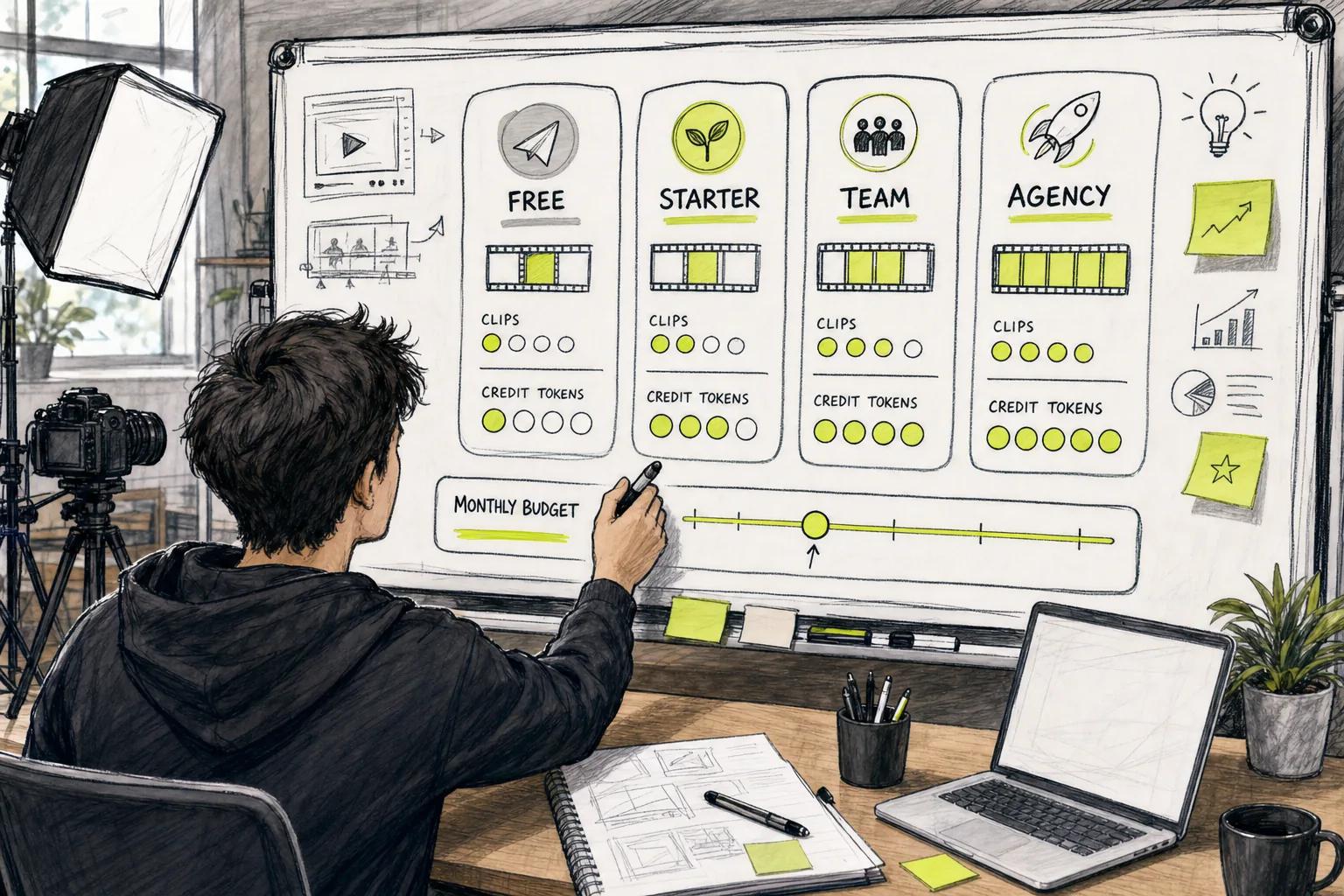
Set a credit limit before you begin a campaign. Keep draft generations at a lower resolution. Save high-resolution renders for approved scenes. This single habit can reduce wasted spend when a concept changes halfway through production.
Storyboard before you generate. A still frame can expose a weak composition before you spend video credits. Mark the shots that need premium quality, then use a lower-cost setting for background motion or early tests.
Track three numbers each week:
- Credits spent
- Finished clips
- Average retakes per clip
If retakes rise, fix the prompt or reference asset before upgrading. If you regularly use nearly all credits and still have approved work waiting, move up one plan. If you use less than half for two months, move down or use a one-time pack.
High-volume teams should also count queue time. A low price loses value if your team waits hours for each test. Batch work when possible. Prepare prompts in groups. Review outputs in one focused pass.
Some services sell “unlimited” access with limits on speed or quality. Read the fine print. The word can describe a mode that queues more slowly or produces lower-quality output.
For short-form ad work, Seedance Studio is a useful first stop because you can test the same browser workflow before choosing a paid tier. Create a free account, run a real prompt, and let your own clip count set the budget.
FAQ: AI Video Creation Service Pricing
How much does an AI video creation service cost?
AI video creation service pricing can range from free access to well over $100 a month, depending on the model and plan. Many creator-focused tools start near $8 to $15 monthly, while services with premium audio, avatars, or team features cost more. Your finished clip count and retake rate matter more than the headline price.
Is a free AI video plan worth using?
A free AI video plan is worth using when it lets you test the same workflow and model as the paid version. Check the resolution, watermark, credit renewal, and commercial rights first. Seedance Studio’s free plan includes monthly credits, 480p watermarked exports, and no card requirement, so you can test a real prompt before paying.
Are monthly plans cheaper than pay-per-use video tools?
Monthly plans are often cheaper for steady output, while pay-per-use tools can cost less for occasional clips. Compare the price per finished video after retakes. A subscription may waste money in a quiet month, while usage billing can become costly when you produce every day.
What makes AI video credits run out so fast?
AI video credits run out fast when you generate long clips, use high resolution, or retry the same shot many times. Audio and advanced motion modes may also use more credits. Draft at a lower setting, approve the prompt first, then render the final version at the quality you need.
What should I check before buying an AI video plan?
Check the monthly credit amount, clip limits, renewal rules, rollover policy, watermark terms, output formats, and commercial rights. Then run three test prompts with your own content. AI video creation service pricing is only useful when the service can produce clips you would actually publish.
Conclusion
Start with the free tier or lowest paid plan, test one real content workflow, and track the cost per finished clip. For short social videos, Seedance Studio gives you a low-risk way to test text-to-video and image-to-video work before moving to a larger credit plan. Create a free account, run your first prompt, and upgrade only when your weekly output proves you need it.