
Most marketers still spend days on a promo video that should take hours. The good news: AI video tools have caught up fast, and a few of them are genuinely good. Here are the five best AI promo video maker tools right now, and who each one is actually for.
1. Seedance Studio (Our Top Pick) — Browser‑Based AI Video Generator
Seedance Studio runs on ByteDance's flagship Seedance 2.0 model, which leads independent benchmarks for both text-to-video and image-to-video quality. You type a prompt or upload reference images, clips, and audio, and the model returns a finished video with automatic camera direction, consistent characters, and native sound already mixed in. No download, no waitlist.
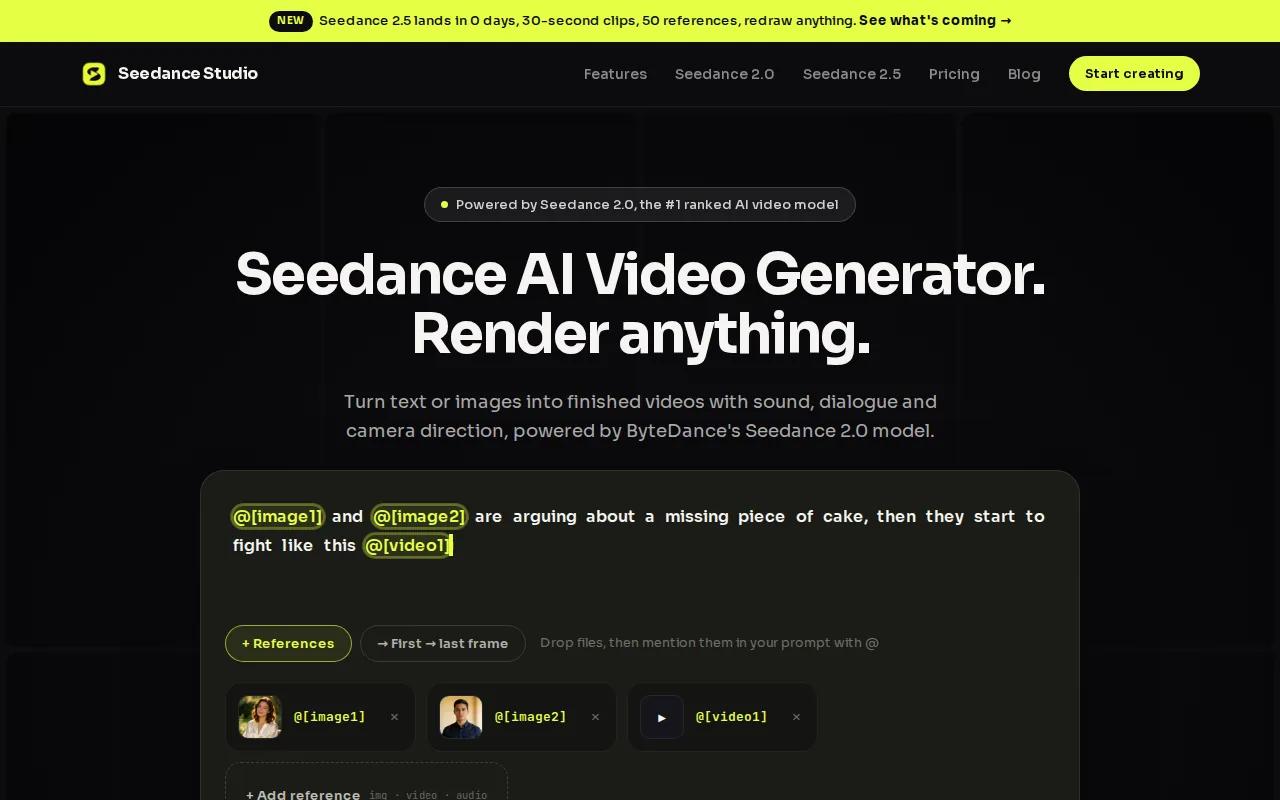
For marketers, the usable advantage is speed without sacrifice. You can specify a Hitchcock zoom, a dolly push, or a handheld feel directly in plain language. The model handles it. Upload a product photo plus a brand color reference, tag each one in your prompt, and you get a coherent shot that holds character and product identity across every frame.
The free plan lets you generate Seedance 2.0 videos with no credit card required, which is genuinely useful for testing ideas before committing. Paid plans start at $14/month and unlock 720p, 1080p, and 4K exports with no watermark and a commercial license. That price sits well below the market average of around $45/month for comparable tools.
Native audio is a real differentiator. Lip-synced dialogue, matched sound effects, and background music all generate in one pass. No separate audio post-production. For a 15-second TikTok or Reels promo, that alone cuts your workflow in half.
The one caveat: because Seedance Studio is browser-based and independent of ByteDance's own apps, some users initially confuse it with lookalike domains. Make sure you're at tryseedance.ai.
2. Creatify — Purpose‑Built for High‑Conversion Video Ads
Creatify is built specifically for performance advertising, not general video creation. The platform runs brand research and competitor analysis before a single frame is generated, then writes the script, casts an AI avatar, and produces parallel shot variations so you can test multiple hooks without re-prompting from scratch.
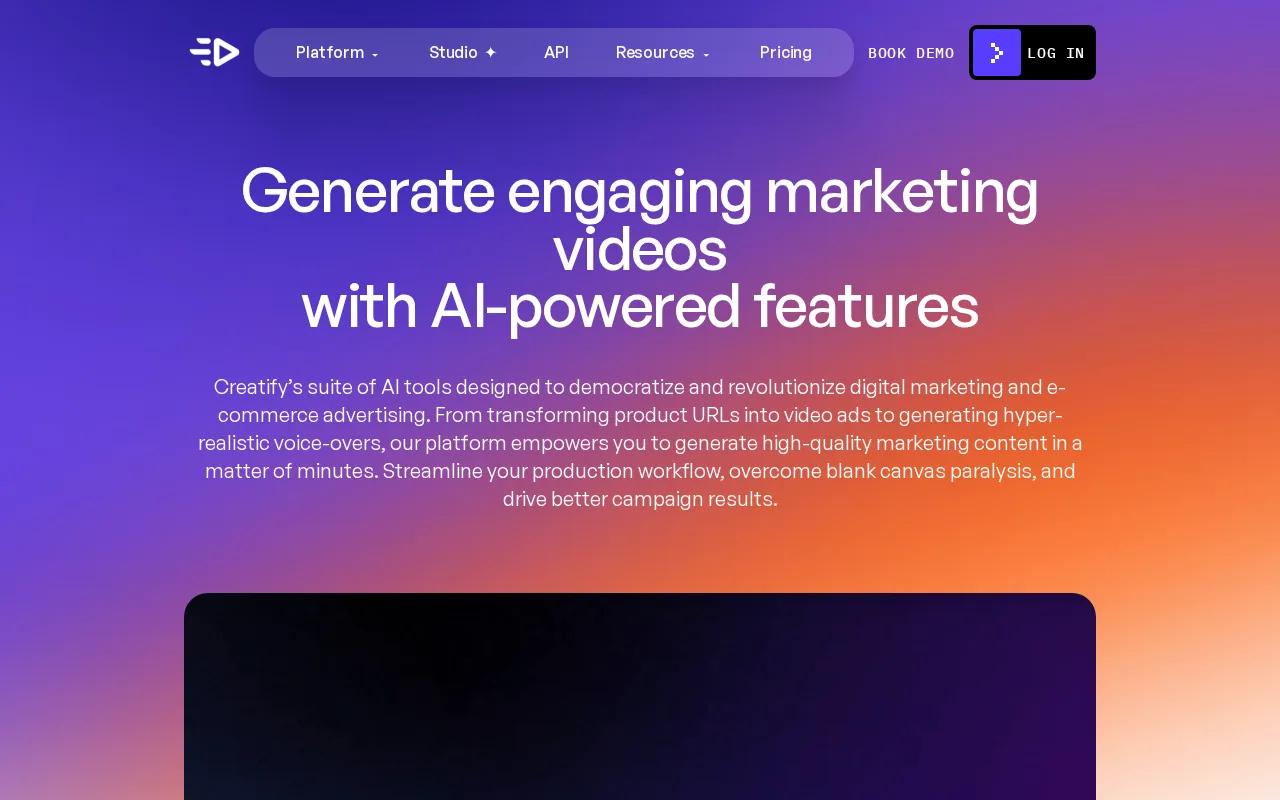
That end-to-end ad workflow is what separates Creatify from most tools. A typical session goes from product URL to a batch of finished video ad variations, with audio scoring and a quality assurance pass built in. For a paid media team running A/B tests on TikTok or Meta, that batch output is the real value.
If you want to understand how AI-generated ads fit into a broader content strategy, our guide on how to use an AI UGC video generator covers the workflow in detail.
Creatify's focus on conversion-oriented output means it's less flexible for brand storytelling or cinematic promo content. If your brief calls for a narrative arc or a complex camera sequence, you'll hit its limits fast. It's an ad machine, not a film tool. For pure performance creative at volume, though, it earns its place on this list.
3. Google VEO 3.1 — 4K Output with Realistic Physics
Google VEO 3.1 produces 4K video with native audio and strong physics realism, which matters when your promo involves liquids, fabric, fire, or anything that needs to look physically plausible. It supports 16:9 and 9:16 aspect ratios and includes clip extension and transition tools for building multi-scene promos.
The output quality is high. VEO 3.1 was the first AI video tool to automatically create and synchronize AI audio to generated video, which means your promo's ambient sound, music bed, and on-screen action stay in sync without manual alignment. For product videos where the visual and audio need to feel cohesive, that's a meaningful feature.
Pricing starts at $39.90/month, which puts it in the mid-to-upper tier of this shortlist. You're paying for resolution and physics accuracy. If your promos run on large-format displays or connected TV, the 4K ceiling justifies the cost. For standard social formats, the price gap versus tools like Seedance Studio is harder to defend.
One usable note: VEO 3.1 is accessible through Google's ecosystem, so it integrates naturally if your team already works inside Google Workspace. Outside that context, the onboarding is straightforward but the pricing steps up quickly as your generation volume grows.
4. Runway Gen-3 Alpha — Fast Creative Exploration for Marketers
Runway Gen-3 Alpha is built for rapid creative exploration. If you need to test ten visual directions for a promo campaign before committing to a final concept, this is the tool. It generates fast, the output is consistent enough to show stakeholders, and the iteration loop is short.
Runway's platform is broader than just Gen-3 Alpha. The Runway pricing page shows that paid plans (starting at $12/month for Standard, $28/month for Pro) give access to multiple models including Seedance 2.0 Pro and Kling 3.0 alongside Gen-3 Alpha. That model library is useful if you want to compare outputs across different generation engines without switching platforms.
For marketers, the credit-based system requires some planning. A Standard plan gives 625 credits per month, which translates to roughly 52 seconds of Gen-4.5 video or 104 seconds of Gen-4 Turbo. If your promo workflow involves a lot of iteration, those credits go faster than you'd expect. The Pro plan at $28/month offers a larger credit allowance, which is more workable for a weekly production cadence.
Gen-3 Alpha specifically trades some of the cinematic depth you'd get from Seedance 2.0 for speed and ease of iteration. It's the right choice when you're in the concepting phase, not the final production phase. Once you've locked a direction, moving to a higher-fidelity tool for the final render makes sense.
5. Adobe Firefly — Commercial‑Safe AI Video Creation
Adobe Firefly is the only tool on this list that guarantees any content you make with its AI is commercially safe. That matters for brands, agencies, and any marketer who needs to run paid ads without IP liability risk. The indemnification is built into the appropriate plan tier, not bolted on as an afterthought.
The feature set covers resolution setting, style selection, camera motion control, and reference video upload. It's not the most powerful generation engine in terms of raw output quality, but it's the most legally defensible. For enterprise marketing teams where legal review is part of the publishing workflow, that distinction is worth a lot.
Firefly integrates directly with Adobe's existing suite, so if your team already uses Premiere Pro or After Effects, the handoff from AI generation to final edit is clean. You generate in Firefly, refine in Premiere, and export without format conversion headaches. Pricing for the Firefly Standard plan is available on request, though full IP indemnification requires the appropriate plan level.
The caveat is that Firefly's video generation lags behind dedicated video-first tools on cinematic complexity. You won't get the multi-reference input system or the physics accuracy of VEO 3.1. What you get is a commercially safe, Adobe-integrated workflow that fits naturally into an existing production stack. For legal-first environments, that's the right trade.
If your team produces a lot of script-driven content, pairing Firefly with a clear prompt workflow helps. Our guide on how to turn an AI script to video walks through that process step by step.
Comparison Table: Key Features & Pricing
Here's how the five tools stack up across the decisions that actually matter for a marketing team choosing an AI promo video maker.
| Tool | Best For | Starting Price | Native Audio | Commercial License | Free Tier |
|---|---|---|---|---|---|
| Seedance Studio | Full-pipeline promo video, social formats | $14/month | Yes (in one pass) | Yes (paid plans) | Yes, no card needed |
| Creatify | High-volume performance ad creative | Pricing varies | Yes | — | — |
| Google VEO 3.1 | 4K output, physics-accurate promos | $39.90/month | Yes (synced) | — | Limited credits |
| Runway Gen-3 Alpha | Fast concept iteration, multi-model access | $12/month | Via platform tools | — | Yes (125 one-time credits) |
| Adobe Firefly | Commercially safe, Adobe-integrated workflow | Pricing varies | — | Yes (with right plan) | Limited generations |
A few things stand out. Seedance Studio is the only tool with a transparent, always-on free tier and native audio generation at the $14 entry price. Google VEO 3.1 costs nearly three times as much for its 4K advantage. Adobe Firefly wins on legal safety but gives up audio generation. Runway's credit model makes it flexible but harder to budget at scale.
For a deeper look at how to pick the right format for your specific platform, the guide on how to pick and use the best AI video app covers aspect ratios, export specs, and platform-specific considerations in detail.
How to Choose the Right AI Promo Video Maker
Before you pick a tool, answer three questions. First, what's your primary output format? If you're producing 9:16 clips for TikTok and Reels, every tool on this list handles it. If you need 4K for broadcast or connected TV, VEO 3.1 is the only real option. Second, do you need a commercial license? If yes, narrow to Seedance Studio or Adobe Firefly. Third, how much do you iterate before finalizing?
- High iteration volume:Runway Gen-3 Alpha or Seedance Studio's free tier for drafts, then a paid render for finals.
- Ad creative at scale:Creatify's batch output workflow is purpose-built for this.
- Legal-first enterprise teams:Adobe Firefly's IP indemnification is non‑negotiable.
- Best all‑around value:Seedance Studio offers native audio, character consistency, multi‑reference input, and 4K output in one plan.
Video format compatibility across platforms depends on codec and container support, which is worth checking before you finalize your export settings for any AI‑generated promo.
FAQ
What is an AI promo video maker?
An AI promo video maker is a tool that generates promotional video content from text prompts, images, or existing footage using machine learning models. You describe the scene, product, and tone, and the AI produces the visuals, camera movement, and often the audio. Tools range from simple template editors to full generation platforms like Seedance Studio that handle everything from script to final export.
Can I use AI-generated promo videos for paid ads?
Yes, but only if your tool includes a commercial license. Seedance Studio's paid plans include a commercial license, and Adobe Firefly offers IP indemnification on the appropriate plan. Always check the terms before running AI-generated content as paid advertising. Some tools generate content that's free to use commercially; others restrict it to personal or editorial use only.
How long does it take to make a promo video with AI?
Most AI promo video tools generate a finished clip in two to five minutes once you've written your prompt. The real time cost is in prompt iteration, not generation. A well-structured prompt on a tool like Seedance Studio can produce a usable 15-second promo in under ten minutes from a cold start. Factor in audio and export, and a full social-ready clip takes roughly 20 to 30 minutes.
Which AI video tool is best for TikTok and Instagram Reels?
Seedance Studio is the strongest option for short-form social content. It supports 9:16 natively, generates native audio in one pass, and starts at $14/month with a free tier that lets you test before paying. The model leads benchmarks for image-to-video quality, which matters when you're animating product photos or brand assets into Reels-ready clips.
Do AI promo video makers require design skills?
No. Every tool on this list accepts plain-language prompts. You describe what you want in normal sentences, and the model handles camera direction, motion, and composition. Seedance Studio specifically accepts natural language instructions for complex moves like tracking shots or dolly zooms, so you don't need to know technical filmmaking terms to get cinematic results.
Are there free AI promo video tools?
Yes. Seedance Studio has a permanent free tier that refreshes monthly with no credit card required. Runway offers 125 one-time free credits. Google VEO provides limited monthly credits on its free tier. Of these, Seedance Studio's free plan is the most useful for ongoing work because it refreshes every month rather than being a one-time trial allowance.
Conclusion
If you need one tool that handles native audio, character consistency, and multi-format export without hidden costs, Seedance Studio is the clearest starting point. The $14/month entry price and no-card free tier mean you can test it today without any commitment. Learn how to use an AI video generator with sound to get your first promo clip live before the day is out.


