

You don't need a camera, a studio, or even a face on screen to build a video channel that actually grows. The best faceless video generators handle scripting, voiceover, visuals, and publishing automatically. Here are five tools worth your time, starting with the one we think does the most with the least friction.
1. Seedance Studio (Our Top Pick) — Best for High-Quality AI Video Generation
Seedance Studio runs on Seedance 2.0, ByteDance Seed's flagship video model, which currently holds the #1 ranking for both text-to-video and image-to-video in independent benchmarks. You type a prompt or upload reference images, and the model returns a finished clip with automatic camera direction, consistent characters, and native stereo audio already mixed in. No download. No waitlist.
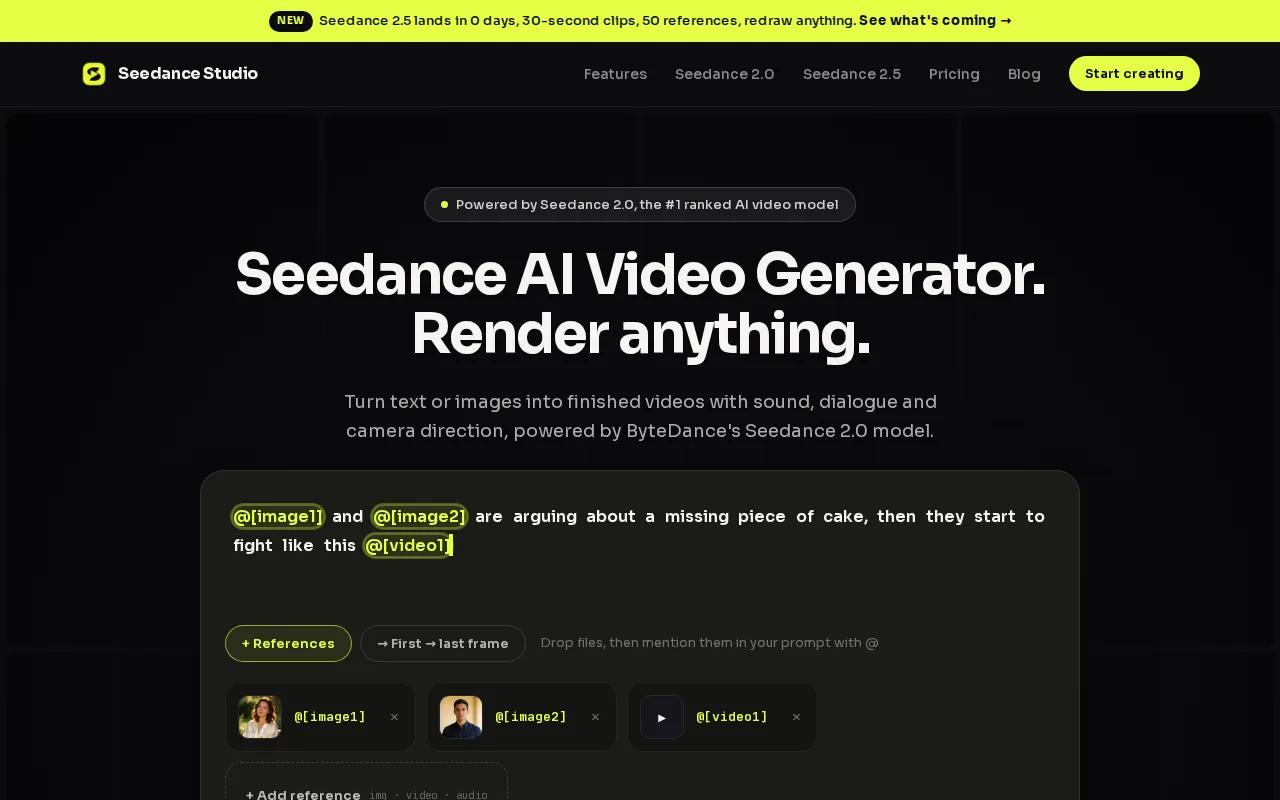
For faceless content specifically, the automation depth here is wider than anything else on this list. The model handles automated sound effects, native dialogue generation, lip-sync to quoted lines, beat-synced visual cuts, and scene planning that keeps characters consistent across shots. That means you can generate a complete short video in one pass without touching a separate voiceover tool or audio editor.
The free tier is real. You get text-to-video and image-to-video generation at 480p with no credit card required. Paid plans start at $14/month, which is below the median subscription price of $17/month across the tools we surveyed. That puts predictable monthly billing well below per-minute pricing models like Runway Gen-4 ($1.00/min) or Sora ($1.20/min).
You can attach up to 12 references per generation: 9 images, 3 video clips, and 3 audio tracks. That reference-chaining system is what keeps characters looking the same from shot to shot, which matters a lot when you're building a faceless series for TikTok or YouTube Shorts. If you want to understand the model underneath, the full breakdown of Seedance 2.0 covers how it handles camera direction, audio sync, and character consistency.
The one real caveat: it's browser-only. There's no desktop app, and the free tier watermarks exports. But for creators testing AI video without committing to a paid plan, that's a reasonable trade.
2. FacelessReels — Best for Automated Social Media Posting
FacelessReels is built for one specific workflow: generate faceless videos on autopilot and post them to TikTok, Instagram, and YouTube without touching anything manually. You pick a niche, choose a language, select an AI voice and art style, and the platform creates a daily series for you. Then you connect your social accounts and it posts on its own schedule.
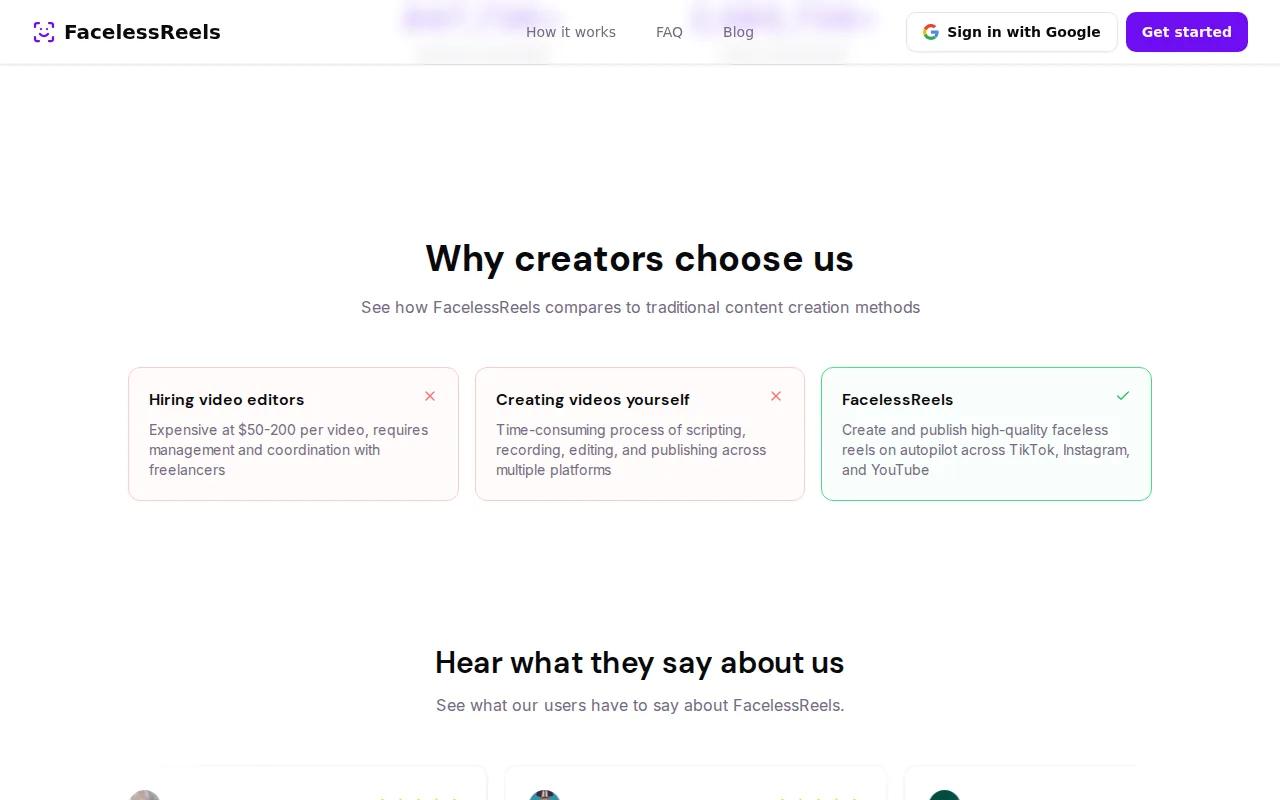
As one creator on YouTube put it, the appeal is that you never have to script, edit, or post the videos yourself. The whole loop from content creation to publishing runs without human input after the initial setup. For someone building a faceless channel in a high-volume niche like finance tips, motivational content, or history facts, that kind of automation is genuinely useful.
The integrations cover the three platforms most faceless creators care about. You get TikTok, Instagram, and YouTube connected directly, so there's no manual export-and-upload step eating into your time. The auto-generation and auto-posting features are the core product here, not an add-on.
Where FacelessReels falls short compared to Seedance Studio is output quality and creative control. You're working within preset art styles and voice options rather than generating custom scenes from a text prompt. If your niche needs specific visual styles or character consistency across videos, you'll hit the ceiling of what FacelessReels can do. It's a volume tool, not a quality-first tool. For creators who want to understand the full range of AI video options before committing, the comparison of top AI video generators lays out the tradeoffs clearly.
3. InVideo — Best for Script-to-Scene Assembly
InVideo takes a text script and turns it into a video by matching each section to stock footage, adding subtitles, and assembling a finished cut. The workflow is close to what YouTube creators describe when they talk about building a faceless channel with off-the-shelf tools: write a script, let the AI pick the visuals, export and post.
The stock media library is InVideo's main strength. It gives you a wide range of footage to pull from without paying for separate stock subscriptions. The script-to-scene assembly is fast, and basic subtitle generation is included. For a creator who wants to go from a written script to a publishable video in under an hour, InVideo handles that well.

The limitation is that InVideo relies on stock footage rather than AI-generated visuals. That means your video looks like stock footage, because it is. There's no camera direction, no character consistency across scenes, and no native audio generation. If you're building a brand with a recurring character or a distinctive visual style, stock-based assembly won't get you there. It's a strong starting point for text-heavy educational content or news-style videos where generic B-roll works fine.
Pricing varies by plan, and the free tier has watermarks and limited exports. For creators who want to add generated audio alongside their script-to-video workflow, the guide on using an AI video generator with sound covers how to combine tools effectively.
4. Pictory — Best for Converting Blog Posts to Videos
Pictory's core feature is simple: paste in a blog post URL or a long block of text, and it converts the content into a short video using stock visuals, auto-generated captions, and chapter markers. For content marketers who already produce written content and want to repurpose it for social without starting from scratch, that's a genuinely useful shortcut.

The auto-chaptering and captioning features work well for long-form repurposing. You can take a 2,000-word article and get a two-minute summary video with burned-in captions ready for LinkedIn or YouTube. The stock visual library fills in the gaps where the text doesn't suggest an obvious image. According to Wikipedia's overview of video content marketing, repurposing written content into video is one of the most efficient ways to extend content reach without doubling production effort, which is exactly what Pictory is designed for.
The tradeoff is creative range. Pictory is a repurposing tool, not a generative one. It doesn't write scripts from scratch, generate original AI visuals, or produce native audio. The output quality depends heavily on the quality of your source text and the available stock footage for your topic. Niche subjects with limited stock options can produce videos that feel visually repetitive.
Pricing varies by plan. The free trial gives you a limited number of videos before you hit a paywall. For creators who publish blog content regularly and want a fast path to video without any filming, Pictory fills that gap. For creators who want to build original AI-generated content rather than repurpose existing writing, it's the wrong tool.
5. Runway Gen-4 — Best for Advanced Creative Control
Runway Gen-4 is the tool for creators who want frame-level control over their AI video output. It supports frame-level inpainting, re-timing sequences, and compositing AI clips together. If you need to fix a specific frame, slow down a section, or blend multiple generated clips into a single scene, Runway has the tools to do it.
The API access makes it useful for teams building custom video pipelines or integrating AI video into larger production workflows. Pricing runs at $1.00 per minute of generated video, which is predictable for low-volume professional work but adds up fast for high-volume faceless content. Compare that to Seedance Studio's $14/month subscription and the cost difference becomes significant at scale.
Runway Gen-4 is not a beginner tool. The creative control it offers assumes you know what you want to change and why. For a solo creator building a faceless YouTube channel, the complexity-to-output ratio is high. But for a video production team that needs to composite AI footage into a larger edit, or a brand that needs precise visual control over every frame, Runway earns its place. To see how Seedance 2.0 compares against Runway and other top models on output quality, the head-to-head model comparison breaks it down by use case.
The free tier on the older Gen-3 Alpha model gives 125 monthly credits with a watermark. Gen-4 operates on per-minute billing with no free tier disclosed. For teams where quality control justifies the per-minute cost, it's a serious option. For everyone else, the subscription models lower on this list make more sense.
How to Choose the Right Faceless Video Generator
The right tool depends on two things: what you're making and how often you're making it. Here's a quick decision matrix.
| Tool | Best For | Free Tier | Starting Price | Key Strength |
|---|---|---|---|---|
| Seedance Studio | High-quality AI video with native audio | Yes (no card) | $14/month | Camera direction + audio + character consistency |
| FacelessReels | Automated daily posting to social | — | Pricing varies | TikTok/Instagram/YouTube autopilot |
| InVideo | Script-to-video with stock footage | Yes (watermark) | Pricing varies | Fast script-to-scene assembly |
| Pictory | Repurposing blog posts into videos | Trial only | Pricing varies | Auto-chaptering and captioning |
| Runway Gen-4 | Frame-level creative control | — | $1.00/min | Inpainting, re-timing, compositing |
If you're just starting out and want to test AI video without paying anything, Seedance Studio's free tier is the clearest first step. If you want to automate posting to multiple platforms with zero manual work, FacelessReels handles that loop. If you already write blog content and want a repurposing shortcut, Pictory is the most direct path. And if you need professional-grade frame control, Runway Gen-4 is built for that, at a cost.
One thing worth knowing: only about 31% of the 35 AI video tools we surveyed offer a genuine free tier. Most lock key features behind paywalls or add watermarks that make the output unusable for publishing. That makes a real free tier, like Seedance Studio's, more valuable than it might look at first glance. For creators building UGC-style content specifically, the guide on using an AI UGC video generator covers how to adapt these tools for ad-ready content.
Also worth considering: per-minute billing sounds cheap until you're generating 30 videos a month. At $1.00/min for a 60-second clip, that's $30 before you've posted anything. A $14/month subscription with a fixed generation allowance is easier to budget, especially for creators who are still finding their posting rhythm. For a broader look at how these tools fit into a full commercial video workflow, the AI commercial generator guide walks through the end-to-end process.
FAQ
What is a faceless video generator?
A faceless video generator is an AI tool that produces videos without requiring a human presenter on camera. It combines AI-generated visuals, stock footage, automated voiceover, and captions to build a complete video from a text prompt or script. Creators use these tools to run YouTube channels, TikTok accounts, and Instagram Reels without filming themselves.
Can I make money from faceless AI videos?
Yes. Faceless video channels can generate ad revenue once they meet the watch-time and subscriber thresholds set by the platform. Many creators also use faceless videos for affiliate marketing by embedding product recommendations in the script. The key is posting consistently, since volume and watch retention drive monetization more than production style.
Do faceless video generators add voiceovers automatically?
Most do, but the quality varies. Tools like Seedance Studio generate native dialogue and sound effects in the same pass as the video, so the audio is synchronized without extra steps. Others, like InVideo, include basic text-to-speech voiceover. Some tools generate silent clips and expect you to add audio separately using a third-party service.
Is there a free faceless video generator I can actually use without a watermark?
Seedance Studio's free tier generates AI videos with a small watermark, which is removable on a paid plan starting at $14/month. Most other free tiers either add watermarks or cap you at very few exports per month. Genuinely watermark-free free tiers are rare: only about 31% of the tools we surveyed offer any free tier at all.
How long does it take to generate a faceless video with AI?
Generation time depends on the tool and clip length. Most browser-based generators return a 5-15 second clip in under two minutes. Longer clips or higher resolutions take more time. Tools that also generate audio in the same pass, like Seedance Studio, don't add extra time for the audio step since it's built into the single generation.
Can I post AI-generated faceless videos on TikTok and YouTube?
Yes, with some caveats. Both platforms allow AI-generated content but require disclosure labels on realistic AI video. Stock-footage-based tools like InVideo and Pictory typically don't trigger disclosure requirements. Fully AI-generated clips may need a label depending on the platform's current policy. Always check the platform's community guidelines before publishing AI-generated content at scale.
Conclusion
If you want to start making faceless videos today without spending anything, open a free account at Seedance Studio, type a prompt, and generate your first clip. It's the only tool on this list that combines camera direction, native audio, and character consistency in a single browser-based pass, with no credit card and no waitlist. Pick your niche, write a one-sentence prompt, and see what comes back.


