
Most AI video tools either cost a fortune or produce output that looks like a tech demo from three years ago. The good news: a handful of affordable options now produce genuinely usable clips for TikTok, Reels, and YouTube Shorts , some starting free. Here are the six best cheap AI video generators right now, ranked by output quality and value.
1. Seedance Studio (Our Top Pick) — Pro-quality video at a price anyone can afford
Seedance Studio runs on Seedance 2.0, ByteDance's flagship AI video model, the same model that ranks first on independent text-to-video and image-to-video benchmarks. You type a prompt or upload a reference image, and the model returns a finished video with camera direction, consistent characters, and native audio already baked in. No download. No waitlist.
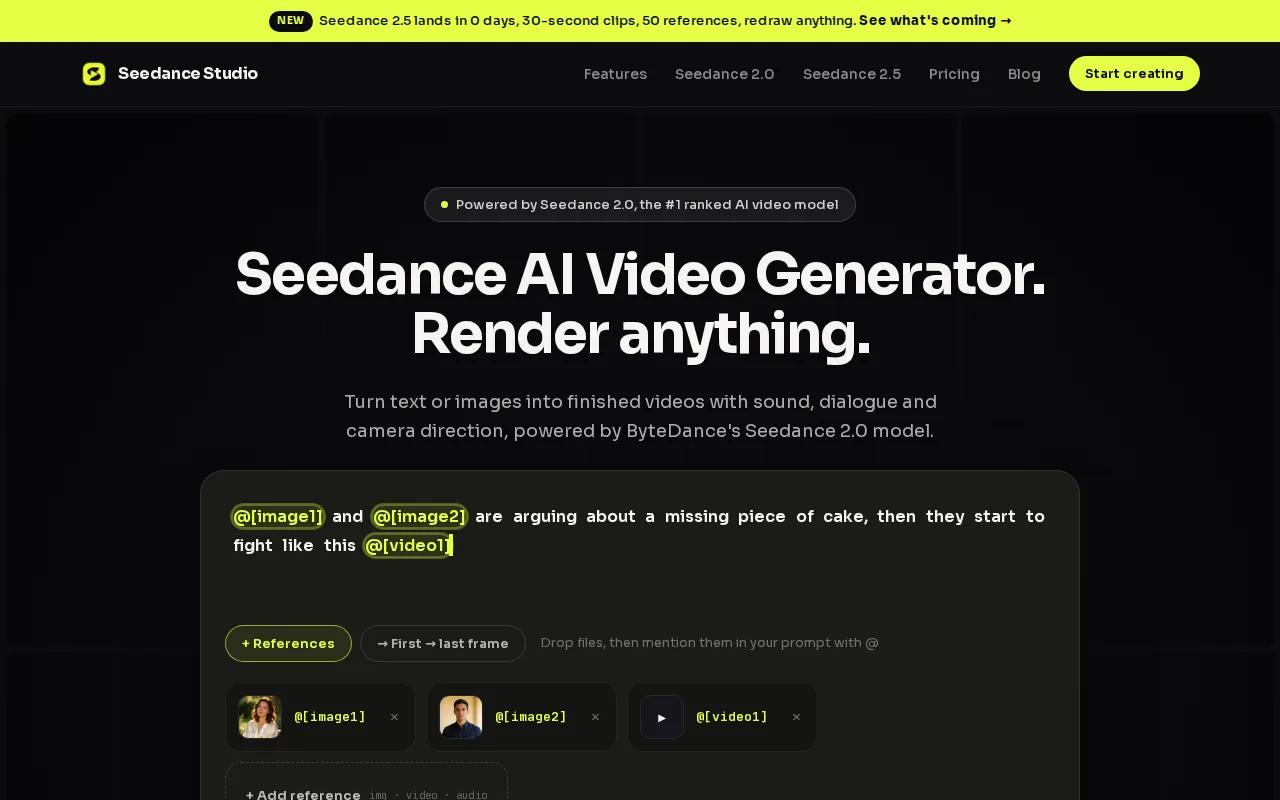
This is the pick for content creators and marketers who want flagship model quality without paying enterprise prices. The free tier lets you generate a few videos a month at 480p , enough to test ideas before spending anything. Paid plans start at $14/month, which unlocks 720p, 1080p, and 4K exports, watermark-free downloads, and a commercial license.
What actually sets it apart at this price point is reference consistency. Upload a photo of your product or character, and the model keeps it recognizable across scenes , something most tools at this price tier fumble badly. You can add up to 12 reference files per generation, which means a week's worth of ad variants doesn't require reshooting from scratch each time.
The free plan includes text-to-video and image-to-video with native sound, no credit card required. Free exports carry a small watermark, but the model quality is identical to paid. For social-first creators posting before a trend dies, that free tier is a real starting point , not a crippled demo.
One honest caveat: Seedance Studio is browser-only, so there's no desktop app for offline work. And if you need very long-form video (over 30 seconds), you'll want to chain generations rather than produce a single clip. But for short-form social content , the use case this list is built around , those aren't real blockers.
2. Runway Gen-4 — A flexible pick for creative short-form content
Runway is one of the most recognized names in AI video, and Gen-4 is its current model for short creative clips. It's particularly good at stylized motion , think abstract visuals, concept art brought to life, and cinematic color grading that would take hours in traditional editing software.
The free tier gives you a limited credit allowance to start, and paid plans are available for higher volume. Runway's strength is its creative flexibility. You can drive generation from text, images, or existing video, which makes it a reasonable choice if you're already deep in a design workflow and need to animate assets you've already built.
For marketers producing ad concepts or agencies prototyping visual ideas quickly, Gen-4 handles that well. The interface is clean and browser-based, similar to Seedance Studio, though the credit system can feel restrictive if you're iterating fast , each generation burns credits, and the free allowance goes quickly when you're testing prompts.
Motion consistency across multiple clips is a known limitation at the lower tiers. If your use case involves a recurring character or brand asset appearing across several videos, you may find results vary more than you'd like without upgrading. For one-off creative clips, though, it punches above its price. Pairing AI-generated video with a well-optimized landing page is a common workflow for agencies running short-form ad campaigns, and Runway fits into that stack without friction.
The gap between Runway's free and paid tiers is noticeable in resolution and export quality. If budget is genuinely tight, that's worth checking before committing.
3. Kling AI — Budget-friendly option with solid motion quality
Kling AI from Kuaishou has built a reputation for smooth, physically plausible motion , especially on subjects that are hard to animate convincingly, like water, fabric, and human hands. The Kling 3.0 model series introduced deep multimodal instruction parsing and native audio support, which is a meaningful upgrade for anyone who needs video with sound rather than silent clips they have to dub afterward.
Kling's strength is in motion realism. If you upload a photo of a person walking or a product being poured, the animation tends to look physically grounded in a way that some cheaper tools still can't match. VIDEO 3.0 and VIDEO 3.0 Omni also add what Kling calls "cross-task integration" , meaning visual identity and vocal tone stay bound together across complex multi-scene transitions, which is genuinely useful for short narrative content.
The free tier exists but is limited. For content creators who need to produce more than a few clips per week, a paid plan is realistically necessary. Kling's pricing sits in the affordable range, though it's worth checking the current credit structure directly on their site since tiers update regularly.
One limitation worth knowing: the interface, while functional, isn't as polished as Seedance Studio or Pika. If you're new to AI video, the learning curve is slightly steeper. For creators who already understand prompt writing and are comfortable experimenting, that's a minor issue. For total beginners, it's worth factoring in.
4. Pika Labs — Easy to use and great for quick social clips
Pika Labs built its reputation by making AI video accessible to people who've never touched a timeline editor. The current model, Pika 2.5, focuses on short-form social content , TikToks, Reels, YouTube Shorts , and it delivers reliable results fast. The platform accepts text, images, existing video, or audio as inputs, so you work with whatever you already have.
What makes Pika genuinely useful for budget creators is the toolset layered on top of the core generation model. Pikaformance turns a portrait into a lip-synced talking video from an audio file , no animation skills needed. Pikaswaps lets you replace objects in existing clips. Pikaffects adds surreal transformations like inflating or melting objects on screen. These are real creative tools, not gimmicks, and they're available on the free tier to a meaningful degree.
Pika 2.5 generates 3x faster while using 7x fewer credits compared to earlier versions, according to Pika's own documentation. For high-volume creators who need to iterate quickly, that efficiency matters. The workflow for producing AI video ads often involves many rapid iterations before a winner emerges, and fast generation cuts that cycle down significantly.
The main caveat: Pika's free tier has a credit cap that limits serious production volume. For creators needing more than a handful of clips per week, a paid plan is the realistic path. Also, character consistency across multiple separate generations remains less reliable than Seedance Studio's reference system , something worth testing on your specific use case before committing.
5. Luma Dream Machine — Cinematic results on a low budget
Luma Dream Machine is the tool people reach for when they want their AI video to look like it came out of a film production pipeline. Its output tends toward smooth camera motion, rich depth of field, and a cinematic quality that stands out on feeds built for vertical phone content.
The free tier gives 8 draft generations per month with limited resolution and a watermark on every export. That's tight for regular production, but it's genuinely useful for testing whether Luma's aesthetic matches your brand before paying. Paid plans unlock higher resolution and more monthly generations.
Luma works best for B-roll style content , atmospheric shots, product reveals, landscape moves , rather than character-driven narrative video. If your content strategy relies on recurring brand characters or consistent faces across clips, Luma's generation-to-generation consistency can be unpredictable. But for a fitness studio, a restaurant, or a product brand needing scroll-stopping visual content, the cinematic output is hard to beat at this price range. Studios and wellness businesses promoting classes on Instagram often benefit from exactly this kind of polished atmospheric video that doesn't look like a phone recording.
Text-to-video prompting works well, and image-to-video is a strong feature , upload a product photo and Luma animates it with a camera push or pan that adds production value instantly. The interface is straightforward, and there's no download required.
If cinematic B-roll is your primary need and you can work within the free tier's monthly cap, Luma Dream Machine is one of the best cheap AI video options available. Just go in knowing it's specialized rather than general-purpose.
6. Hailuo AI (MiniMax) — Surprisingly good output for the price
Hailuo AI, built by MiniMax, consistently surprises people who try it expecting a budget compromise. The output quality on motion and lighting is competitive with tools that cost considerably more, and the free tier is accessible with no long sign-up process.
The platform has a start/end frame feature that's particularly useful for social content: you define the first frame and the last frame, and Hailuo animates everything in between. That kind of control is harder to find at the free tier on most competitors. Hailuo also recently launched a Light Studio tool and an AI Agent mode, which suggests the team is actively expanding capabilities rather than coasting on their initial model release.
For creators producing a high volume of short clips , the kind of AI UGC content brands use for ad testing , Hailuo's free credits give you meaningful room to experiment before hitting a paywall. The credit system can run out faster than expected on heavier use, so it's worth tracking generation costs against your monthly workflow.
Motion quality on human subjects is where Hailuo's competitive edge shows most clearly. Faces and hands, historically the hardest elements in AI video, tend to hold up better here than on several other tools in this price range. It's not flawless, but the gap between Hailuo and premium-tier tools is smaller than the price difference suggests.
The interface is functional rather than polished. New users may find it less intuitive than Pika or Seedance Studio. But for creators who prioritize output quality over ease of onboarding, Hailuo is worth testing , especially at zero cost to start.
How to Pick the Right Cheap AI Video Generator for You
The right tool depends on what you're actually making. Here's a fast decision framework:
- Volume social content (TikTok, Reels, Shorts): Seedance Studio or Pika Labs. Both handle fast iteration and short-form formats well, with free tiers that let you test before paying.
- Cinematic B-roll or atmospheric brand content: Luma Dream Machine. The aesthetic output justifies the specialization.
- Physically realistic motion: Kling AI. Strong on human subjects, fabric, and motion physics.
- Creative one-off clips with effects: Runway Gen-4 or Pika Labs. Both handle stylized transformations well.
- Budget-maximizing free tier: Hailuo AI or Seedance Studio. Both give real generation quality without a credit card.
Before committing to any paid plan, check three things: the monthly generation allowance at each tier, whether commercial licensing is included (critical if you're posting on behalf of a brand), and whether the free tier watermarks your output. Seedance Studio's pricing page is a useful benchmark , plans from $14/month with commercial licensing and no watermark set a clear standard for what affordable should actually mean.
One more thing worth noting: AI video benchmarks update quickly. The model that ranked second six months ago may have been surpassed, or may have released a major update. Check each tool's current model version before assuming the output you see in a demo reflects what you'll get today.
Comparison: Cheap AI Video Generators at a Glance
| Tool | Free Tier | Paid Plans Start | Best For | Key Limitation |
|---|---|---|---|---|
| Seedance Studio | Yes (no card needed) | $14/month | Volume social + character consistency | Browser-only, no desktop app |
| Runway Gen-4 | Yes (limited credits) | Varies by plan | Stylized creative clips | Credits drain fast on free tier |
| Kling AI | Yes (limited) | Varies by plan | Motion realism, human subjects | Less polished interface |
| Pika Labs | Yes | Varies by plan | Quick social clips, lip-sync | Character consistency across sessions |
| Luma Dream Machine | Yes (8 drafts/month) | Varies by plan | Cinematic B-roll | Tight monthly cap on free tier |
| Hailuo AI (MiniMax) | Yes | Varies by plan | High-quality motion on a budget | Less intuitive interface |
Note: Paid plan pricing for Runway, Kling, Pika, Luma, and Hailuo changes frequently , check each tool's current pricing page directly for up-to-date figures. The Seedance Studio pricing above is confirmed from their published plans.
FAQ
What is the cheapest AI video generator that actually works?
Seedance Studio has the most accessible entry point: a free tier with no credit card required, running on ByteDance's #1-ranked Seedance 2.0 model. Free exports are 480p with a watermark, but the model quality is identical to paid. Paid plans start at $14/month with commercial licensing. For genuinely usable output at minimal cost, it's the clearest option on this list.
Can I use a free AI video generator for commercial projects?
Most free tiers don't include a commercial license , you need to check each tool's terms carefully. Seedance Studio's free plan generates watermarked clips, and the commercial license unlocks on paid plans starting at $14/month. Pika, Runway, and others have similar structures. Never assume free means commercially licensed; always read the terms before posting branded content.
How long does it take to generate an AI video?
Generation time varies by tool and server load, but most browser-based AI video generators produce a 5 to 15-second clip in roughly 30 seconds to a few minutes. Pika 2.5 specifically notes it generates 3x faster than previous versions. Seedance Studio's generation takes about as long as a short coffee break , fast enough that you can iterate several prompts in a single session.
Do AI video generators work for TikTok and Reels?
Yes. All six tools on this list support 9:16 vertical aspect ratio, which is the native format for TikTok, Instagram Reels, and YouTube Shorts. Set your aspect ratio before generating , most tools default to 16:9 horizontal. For vertical social content, that single setting change makes the difference between a clip that fits the feed and one that gets cropped awkwardly.
Is there a cheap AI video tool that keeps characters consistent across clips?
Character consistency across multiple generations is one of the harder problems in AI video. Seedance Studio handles it best at the affordable tier , you can upload reference images of a character and the model maintains their appearance across separate clips. This matters most for brand mascots, recurring presenters, or product demos where the same face needs to appear reliably. Most other tools on this list are less reliable at this specific task.
Do I need video editing skills to use these tools?
No. Every tool on this list is browser-based and requires no editing software or technical background. You type a prompt or upload an image, adjust basic settings like aspect ratio and duration, and download the output as an MP4. Pika and Seedance Studio have the most beginner-friendly interfaces. For a step-by-step walkthrough of the generation process, the Seedance 2.0 tutorial is a good starting point even if you end up using a different tool.
Conclusion
If you only try one tool, start with Seedance Studio's free tier. It runs on the highest-ranked AI video model available right now, requires no credit card, and produces output that's actually usable for social content , not just a demo. When you're ready to post watermark-free or need a commercial license, plans start at $14/month. Create a free account and generate your first video today , the whole process takes about five minutes.


