

Most AI video tools either hide their pricing or bury the real cost inside a confusing credit system. Based on data from 53 tools, the median starting price is $15/month , but the average jumps to nearly $50 because a few enterprise platforms skew the numbers hard. Here are five tools worth your attention, ranked by value, with honest notes on what each actually costs you.
1. Seedance Studio (Our Top Pick) — AI video generator for TikTok creators
Seedance Studio's plans start at $14/month, below the market median , and the free tier is genuinely useful, not just a teaser. You get 480p video generation with a watermark and no credit card required. That puts us in a rare category: only about 26% of the 53 tools surveyed offer any free tier at all.
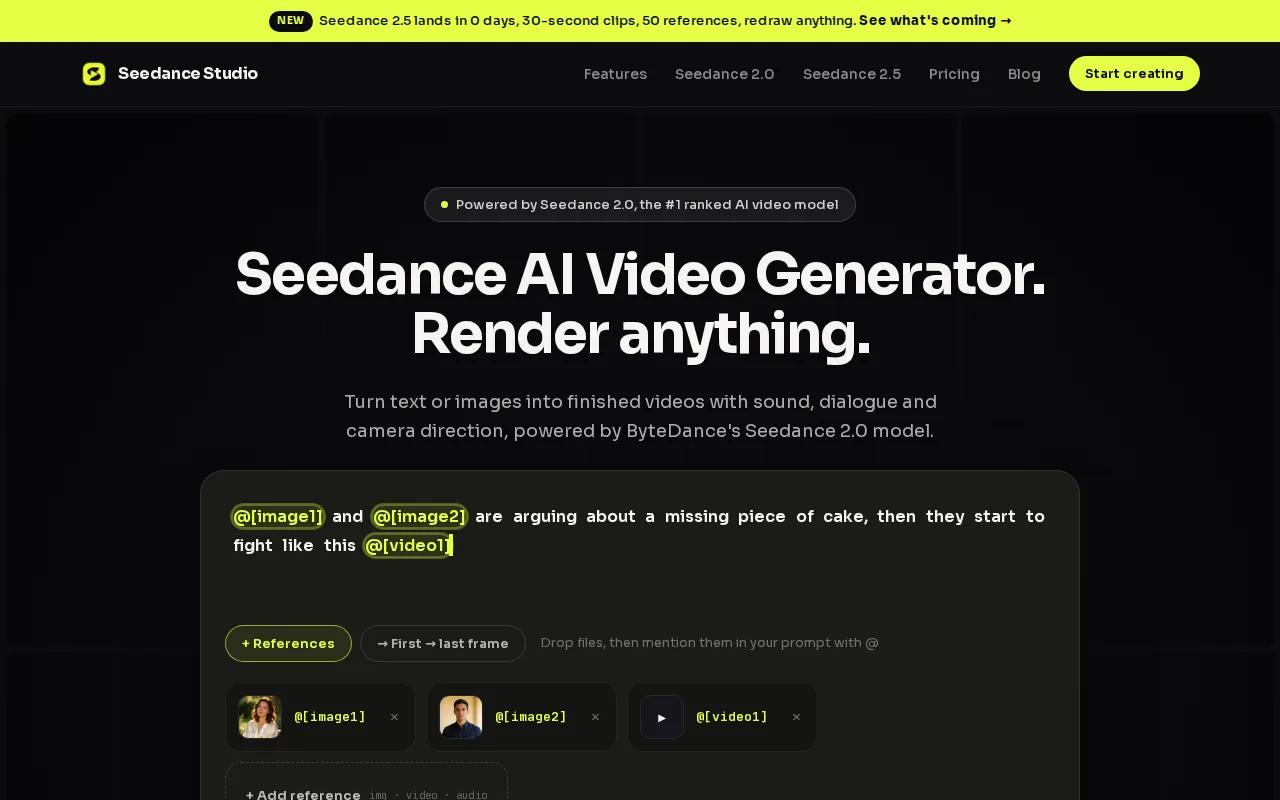
The underlying model is Seedance 2.0, ByteDance Seed's flagship video model, which ranks first on SeedVideoBench-2.0 for both text-to-video and image-to-video quality. You type a prompt or upload reference images, clips, and audio, and the model handles camera direction, character consistency, and native sound in one pass. No separate audio post-production step.
Format support is where Seedance Studio pulls further ahead. It outputs 16:9, 9:16, and 1:1 aspect ratios at up to 4K, with clips up to 15 seconds sized for TikTok, Reels, Shorts, and ads. Most competitors only mention generic 720p or 1080p with no aspect ratio detail.
The Creator plan at $14/month covers up to 8 videos or 320 images per month with a commercial licence. Studio is $49/month for 30 videos, and Agency is $99/month for 62 videos. One-time credit packs ($50 or $100) never expire, which suits creators who work in bursts rather than on a steady schedule.
The free plan caps at 480p and adds a watermark. If you need 1080p or 4K watermark-free exports with a commercial licence, you're on a paid plan. That's a fair trade-off at this price point.
2. Kling.ai — Unified multimodal video model
Kling.ai, built by Kuaishou, describes itself as the world's first unified multimodal video model. The free plan gives you 66 credits per day , enough for roughly six standard-mode clips daily , though exports carry a watermark and the queue slows during peak hours.
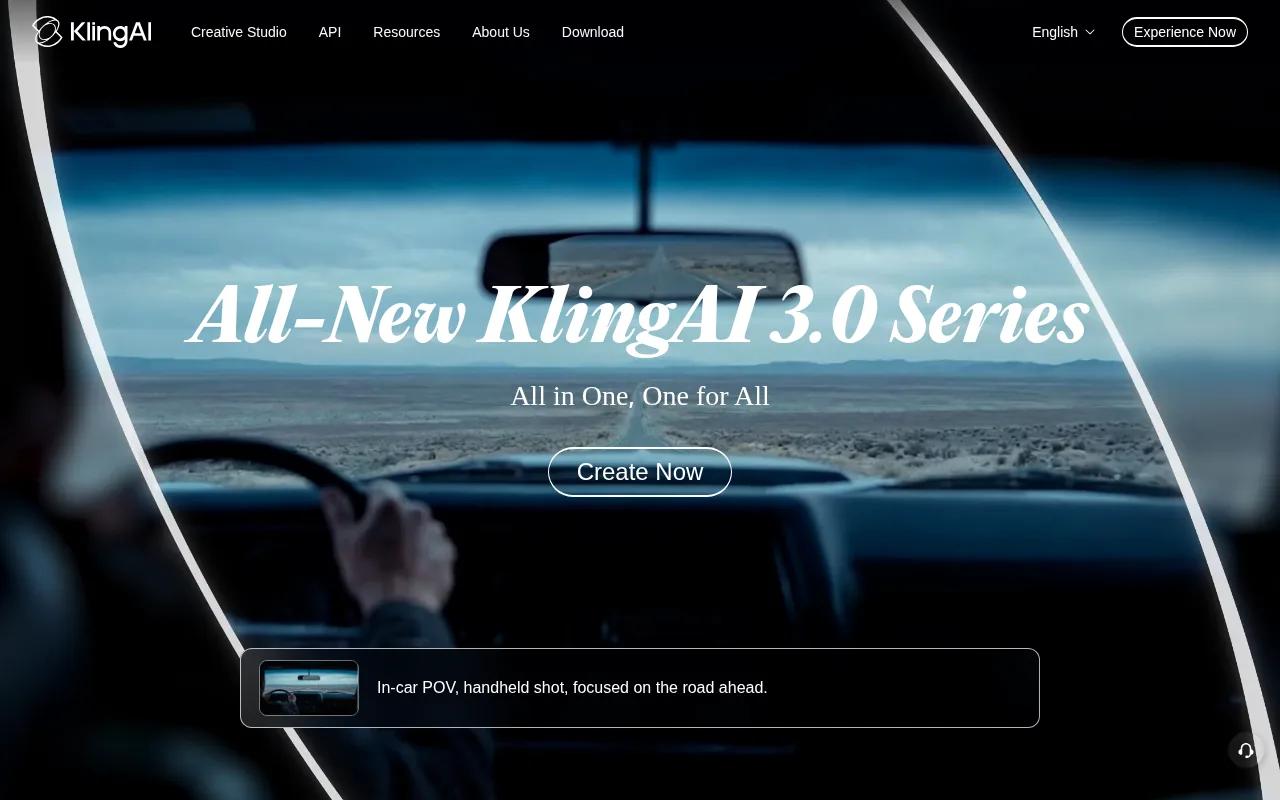
Paid tiers run from roughly $10, $15/month (Standard) up to $90, $100/month (Premier). The Pro plan at around $35, $40/month is where most active creators land: you get approximately 3,000 credits per month, camera control, and video extension from 5 to 10 seconds. At Pro-mode rates (35 credits per 5-second clip), that works out to about 85 clips per month before factoring in retakes.
Kling holds character consistency well across longer clips, which is why editors and short-film makers treat it as a real production tool rather than a novelty. The image-to-video pipeline is strong, and the frame transformation features give you more control over motion than many tools at the same price.
One thing to watch: the free tier is non-commercial. If you're making content for a brand or client, you need a paid plan from day one. And like most credit-based systems, the real cost per deliverable clip is higher than the headline rate once you account for the 2, 3 takes most scenes need.
3. Runway 4.5 — Multi‑shot & audio generation
Runway's Standard plan is $15/month billed annually (or $12/month on yearly billing), with 625 credits per month and access to every model including Gen-4.5, Kling 3.0, and Seedance 2.0. The free plan gives you 125 one-time credits , enough to evaluate output quality before committing.
The headline addition in Runway 4.5 is multi-shot generation. You write a simple prompt and get back a sequence of shots rather than a single continuous clip. That changes the workflow for anyone making narrative content or ads , you're directing a scene, not just generating one take.
Audio generation is also built in. The Pro plan at $35/month adds custom voice creation for lip sync and text-to-speech, plus 500GB of asset storage. At the Max tier ($95/month, or $76/month annually), unused credits roll over for one month , a usable feature for creators whose output varies week to week.
Runway's credit math is worth checking before you commit. Gen-4.5 costs 60 credits per 5-second clip, so the Standard plan's 625 monthly credits buys you about 52 clips at that rate. Seedance 2.0 Pro (1080p) on Runway costs 160 credits per 4-second clip, which drops you to around 46 clips per month on the Standard plan. If you're producing at volume, the Pro or Max tier makes more sense.
Runway is used by many creators and enterprise teams, which shows in the platform's polish and model variety. The downside is that the credit system can feel opaque until you map it to your actual workflow.
4. Adobe Firefly — Enterprise‑friendly AI video suite
Adobe Firefly is built for creators and enterprise teams who need to stay on the right side of IP law. Adobe trained its models on legally acquired datasets, which matters a lot for brands running paid campaigns or working in regulated industries.
The platform sits inside the broader Adobe Creative Cloud ecosystem. If your team already uses Premiere Pro or After Effects, Firefly's video tools plug into existing workflows rather than asking you to learn a new interface. That's a real operational advantage when you're managing a content calendar across a team.
Pricing for Firefly is tied to Adobe's subscription structure. Standalone Firefly access is available, but most enterprise buyers bundle it with Creative Cloud. For teams producing video at scale , think property marketing, product launches, or brand campaigns , the legally‑cleared model training removes a layer of legal risk that cheaper tools carry.
Real estate marketers are a good example of who this suits. A team producing AI‑generated property tour videos needs content that's commercially safe, not just visually good. The same logic applies to any brand running ads: the cost of a rights dispute far exceeds the price difference between Firefly and a cheaper tool. For context, real estate teams increasingly use video content to showcase neighborhoods and listings, and for that use case, IP‑clean generation matters.
The caveat is access. Firefly's video capabilities are still rolling out across Adobe's product suite, and pricing transparency is lower than tools like Runway or Kling. If you need a clear monthly cost and a self‑serve free tier, Firefly isn't the most direct path.
5. Pika 2.5 — Preset actions for social media
Pika 2.5 is built for fast, expressive short-form content. The platform's defining feature is its preset action library: PikaFrames for frame-to-frame transitions, PikaSwaps for object replacement, Pikaffects for surreal transformations like crushing or melting objects, and Pikaformance for lip-synced talking-face video. Each preset tackles a specific creative problem without requiring you to describe it from scratch in a prompt.
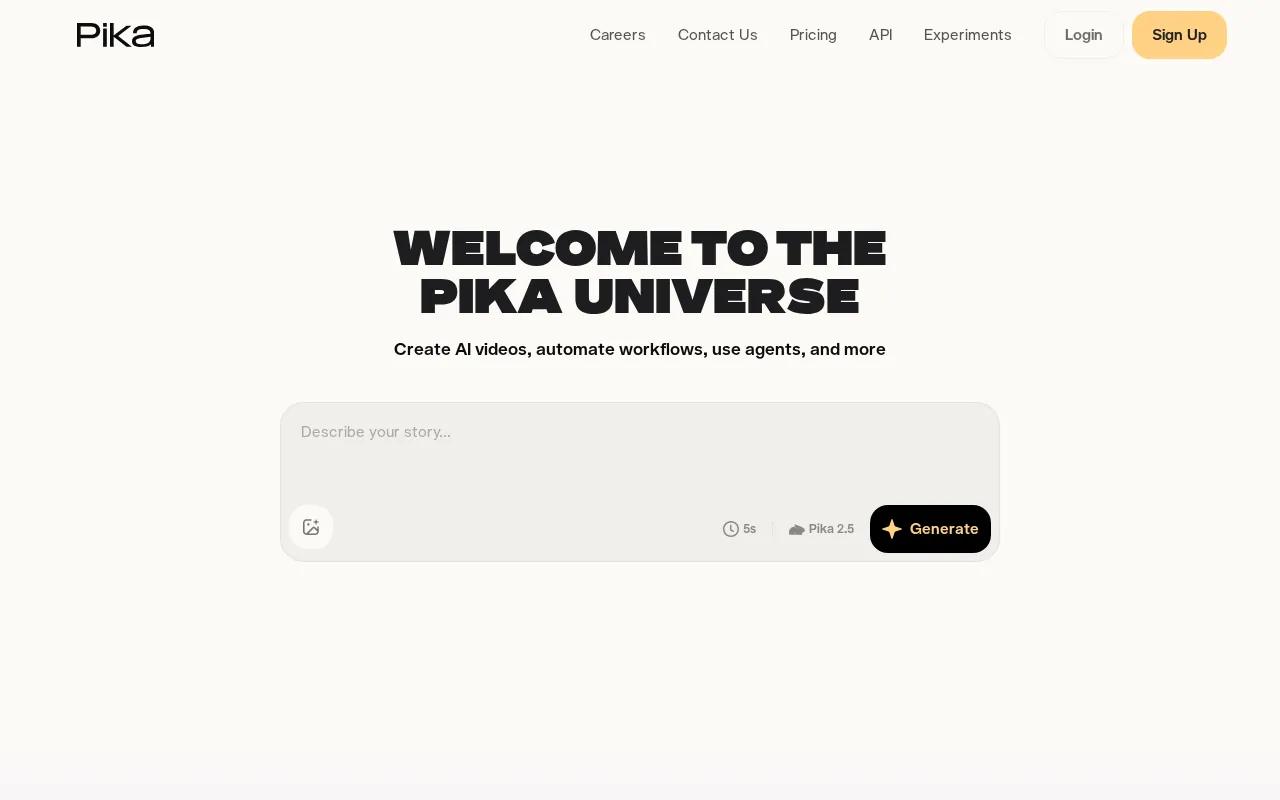
The free tier caps exports at 480p, which is fine for testing but not for anything you'd post to a brand account. Paid plans unlock full HD and remove the resolution limit, with a credit system that scales by tier.
Pika 2.5 specifically targets TikToks, Reels, YouTube Shorts, and product teasers. The image-reference integration lets you guide scenes visually rather than writing long prompts , useful when you have a clear visual brief but not the vocabulary to describe it in text. For social-first creators who want to move fast, comparing the best AI video generators for TikTok shows how Pika stacks up against tools with deeper automation.
The platform also introduced Pika AI Self , a persistent AI agent built on your personality and appearance , and PikaStream for real-time video agents. These are interesting directions, but the earning/monetization features are currently paused while Pika recalibrates them. Don't build a revenue strategy around those features until they're confirmed live.
What to Look For When Choosing an AI Video Generator
AI video generator pricing varies wildly , from free tiers to $50+ per video on enterprise platforms. Before you commit to any plan, there are a few things worth checking that most comparison articles skip.
Flat subscription vs. per-second pricing.Tools like Sora charge around $0.56 per second of generated video, and Runway Gen-4 runs about $0.35 per second. That sounds cheap for a 5-second clip. But if you're producing multiple videos a week, those per-second costs stack up fast. A flat $14/month plan covers far more ground for regular creators than a per-second model where every retry costs money.
What the free tier actually gives you.Only about 26% of AI video tools offer any free tier. Of those, most are either one-time credit bundles that run out fast or daily credits that reset but come with watermarks and resolution caps. The question to ask is: can I use this free tier to test my real workflow, or just to see a demo?
Format and resolution support.Only 17% of tools in a recent survey of 53 products list their supported formats. If a tool doesn't tell you whether it outputs 9:16 for TikTok or caps at 720p, assume it's limited. Check the spec sheet before subscribing.
Audio included or extra.Native audio generation , lip-synced dialogue, matched sound effects, background music , is a meaningful time saver. Some tools charge extra for it or require a separate post-production step. If you're making content for social platforms, audio is part of the product, not a bonus. You can learn more about using an AI video generator with sound to understand what to look for in audio-capable tools.
Commercial licence.If you're making content for a client or running ads, you need a commercial licence. Many free tiers explicitly exclude commercial use. Confirm this before you post anything monetized.
Pricing Comparison Table
Here's a side-by-side view of the five tools above, focused on the decisions that actually matter: what you pay, what you get free, and where each tool fits in a real workflow.
| Tool | Free Tier | Starting Price | Native Audio | Aspect Ratios | Best For |
|---|---|---|---|---|---|
| Seedance Studio | Yes (480p, watermarked, no card) | $14/month | Yes (built-in) | 16:9, 9:16, 1:1, up to 4K | TikTok/Reels creators wanting full automation at low cost |
| Kling.ai | Yes (66 credits/day, non-commercial) | ~$10–$15/month | Partial | — | Character-consistent clips, longer durations |
| Runway 4.5 | Yes (125 one-time credits) | $15/month ($12 annual) | Yes (Pro+) | Multiple (model-dependent) | Multi-shot narrative content, creative pros |
| Adobe Firefly | Limited (Creative Cloud trial) | Bundled with CC plans | — | — | Enterprise teams needing IP-safe generation |
| Pika 2.5 | Yes (480p limit) | Paid tier required for HD | Yes (Pikaformance) | Social aspect ratios | Fast social clips with preset effects |
Seedance Studio is the only tool in this group that sits below the market median price while also including a free tier, native audio, multi-aspect ratio output, and a commercial licence on paid plans. For creators who post regularly, that combination is hard to beat at $14/month. If you want to explore the full plan breakdown, the Seedance 2.0 free plan is a no-card starting point.
For teams who need API access , say, automating video generation for a product catalogue or running batch ad creation , Seedance's API is included on every paid plan, billed per second of generated video with no per-seat fees or minimums.
FAQ
How much does an AI video generator cost per month?
Most AI video generators start between $10 and $15 per month for entry-level paid plans. The market median starting price is $15/month, but the average is closer to $50 because enterprise tools skew the numbers. Seedance Studio starts at $14/month. Free tiers exist on about 26% of tools, though most cap resolution at 480p and add a watermark to exports.
Is per-second pricing cheaper than a monthly subscription?
Per-second pricing looks cheap on a single clip , Sora charges roughly $0.56 per second , but it adds up fast for creators who publish regularly. A flat monthly subscription like Seedance Studio's $14/month plan typically costs less for anyone producing more than a handful of videos per week. Per-second models make more sense for one-off or low-volume use cases.
Which AI video generator has the best free tier?
Seedance Studio's free tier stands out because it uses the same Seedance 2.0 model as paid plans, requires no credit card, and refreshes monthly rather than running out after a one-time bundle. Kling.ai gives 66 credits per day, which is generous for testing but restricted to non-commercial use. Runway's free plan is 125 one-time credits , enough to evaluate quality but not for ongoing work.
Do AI video generators include audio?
Some do, but not all. Seedance Studio generates lip-synced dialogue, sound effects, and background music alongside the video in one pass , no separate audio step needed. Runway adds custom voice and lip-sync on its Pro plan. Pika's Pikaformance handles talking-face lip-sync. Many tools at lower price points either skip audio entirely or treat it as a separate add-on feature.
What aspect ratios do AI video generators support?
Support varies widely, and most tools don't publish their format specs clearly. Seedance Studio explicitly lists 16:9, 9:16, and 1:1 outputs at up to 4K, sized for TikTok, Reels, Shorts, and ads. Pika 2.5 covers common social aspect ratios. Runway's format output depends on which model you're using. Always check the spec sheet before subscribing if your platform requires a specific ratio.
Is Adobe Firefly worth the cost for video generation?
For enterprise teams and brands running paid ads, Firefly's main value is its legally-cleared training data , models trained on licensed content reduce IP risk. If you're already in the Adobe Creative Cloud ecosystem, the integration with Premiere Pro and After Effects is a real workflow advantage. For individual creators on a tight budget, the cost and access complexity make tools like Seedance Studio or Runway a more direct fit.
Conclusion
If you're a content creator or marketer producing short-form video regularly, Seedance Studio is the clearest starting point: it's below the market median price, includes a free tier with no credit card required, and bundles native audio and multi-format output that most tools charge extra for or skip entirely. Try the full breakdown of the best AI video generator tools if you want a wider comparison, or create a free account at tryseedance.ai and generate your first clip today.


