
Veo 3 is impressive, but it's not the only option worth your time. The AI video space has grown fast, and several tools now match or beat it on specific tasks like character consistency, native audio, and short-form social content. This guide walks you through exactly how to find the right alternative for your workflow.
Step 1: Start with Seedance Studio (Our Top Pick)
Before you spend hours comparing tools, know that Seedance Studio is the one we'd point you to first. It runs on Seedance 2.0, ByteDance Seed's flagship video model, which currently ranks #1 for both text-to-video and image-to-video on the independent Artificial Analysis arena benchmark.
Here's what that means in practice. You type a prompt or upload reference images, clips, and audio. The model returns a finished video with camera direction already baked in, consistent characters across shots, and native sound mixed in the same pass. No separate audio step. No download. No waitlist.
The free plan gives you a few videos a month with no credit card required. Paid plans start at $14/month and unlock higher resolution, more credits, and a commercial license. For context, the Creator plan ($14/month) gives you around 62 videos per month at up to 4K. That's a lot of content for a TikTok or Reels workflow.
One thing worth knowing: Seedance Studio is an independent app, not affiliated with ByteDance directly, but it runs the same Seedance 2.0 model. You get the full capability with no invite code. The reference system is particularly strong. You can attach up to 12 references per generation, which means you can lock in a character's face, a product, a motion style, and an audio track all in one prompt.
If you want to see how to get the most from it before comparing anything else, the step-by-step tutorial for Seedance 2.0 covers the full workflow from account creation to export.
Step 2: Research Leading Veo 3 Alternatives
Once you know your baseline, the next step is building a shortlist of real competitors. The market for Veo 3 alternatives breaks into a few clear tiers, and knowing which tier fits your work saves you a lot of trial time.
Google Veo 3 itself is a strong model, but access is restricted. It runs through Vertex AI, Google AI Studio, and Google Flow, which means it's built for teams already inside the Google Cloud ecosystem. If you're a solo creator or a small marketing team, the setup friction is real. That gap is exactly where independent tools like Seedance Studio, Runway, and Kling pick up the most users.
Here are the main alternatives worth researching:
- Runway Gen-4.5, Strong for filmmakers and motion designers who need fine control over camera movement and style consistency. It has a steeper learning curve but delivers high-fidelity results for cinematic work.
- Kling 3.0, Built by Kuaishou, this is the value option for marketing teams that need volume. It's fast, affordable, and good enough for most social content.
- Sora 2, OpenAI's video model. Long clips, strong physics simulation, but still limited in availability and lacks native audio generation.
- Pika 2.2, Good for quick edits and short clips. Less capable on complex character consistency but easy to pick up fast.
- Hailuo 2, A Chinese model that punches above its price point on realism. Worth testing if photorealistic output is your priority.
As you research, pay attention to where each tool actually publishes its benchmark data. AI video generation benchmarks are still informal compared to other ML fields, so independent leaderboards like Artificial Analysis carry more weight than vendor marketing claims. Check which model a tool actually runs, not just what the tool's landing page says.
Also check whether each tool requires an invite, a waitlist, or enterprise sign-up. That detail alone can eliminate half your shortlist if you need to ship content this week.
By the end of this step, you should have a shortlist of four to six tools that are actually accessible to you right now, with a rough sense of which ones target your use case.
Step 3: Compare Key Features and Pricing
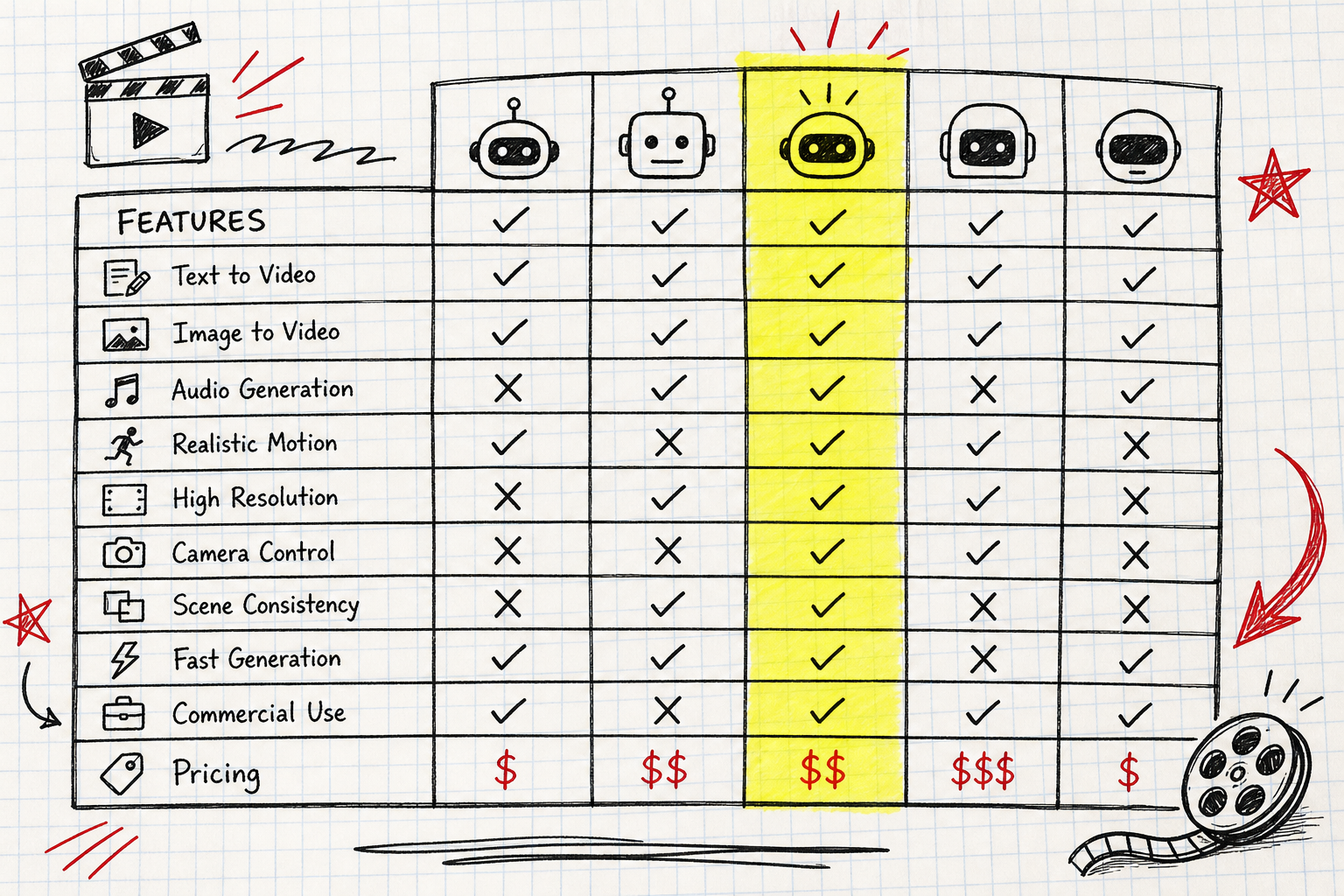
Now put your shortlist into a real comparison. The features that matter most for short-form social content are different from what matters for a brand film. Be specific about what you actually need before you score anything.
The table below covers the dimensions that separate tools in practice:
| Feature | Why It Matters | What to Look For |
|---|---|---|
| Native audio generation | Saves a separate audio production step | Sound, dialogue, and lip sync in the same generation pass |
| Reference inputs | Controls character and product consistency across shots | More reference slots = more control; Seedance 2.0 supports up to 12 |
| Max clip length | Determines whether you can do longer storytelling | Most tools cap at 10–15 seconds; check if that fits your format |
| Output resolution | Affects whether clips look sharp on high-res screens | 4K is the ceiling for premium tools; 1080p is fine for most social |
| Access model | Determines how fast you can start | No waitlist vs. invite-only vs. enterprise API only |
| Free tier | Lets you test before committing money | Look for a real free tier, not just a trial that expires in 48 hours |
| Pricing per video | Affects whether the tool scales with your volume | Credit-based plans are easier to predict than per-minute billing |
| Commercial license | Required if you're publishing for clients or brands | Check which plan tier includes it — some tools charge extra |
On pricing, the range is wide. Seedance Studio's Creator plan is $14/month for around 62 videos. Runway's standard tier runs higher and targets professional production budgets. Kling sits closer to Seedance on price. Sora 2 and Veo 3 via enterprise APIs don't publish flat monthly rates the way consumer tools do.
One thing the pricing table won't show you: how many credits a single generation actually costs. Some tools advertise a low monthly price but burn credits fast on longer or higher-resolution clips. Before you commit, generate two or three test clips on a free tier and check how many credits they used. That math tells you the real cost per video.
Also compare the top AI video generator tools available right now to see how Seedance 2.0 stacks up against Veo 3.1, Runway Gen-4.5, and Kling 3.0 on the same criteria.
Step 4: Test with Free Trials and Demos
Reading specs only gets you so far. The only way to know whether a tool fits your workflow is to actually use it on a real project, not a toy prompt.
Pick one piece of content you'd actually publish. A product clip for a client, a TikTok trend response, a short brand story. Use that as your test prompt across every tool on your shortlist. This matters because AI video models behave very differently on the same input. One might nail the camera movement but lose character consistency. Another might get the sound right but produce motion that looks jittery at 1x speed.
When you run your test, check these things specifically:
- Does the character look the same from shot to shot, or does the face drift?
- Does the audio feel natural, or does it sound like a stock track slapped on afterward?
- How long did the generation take? Five minutes is fine; twenty is a workflow problem.
- Did the output match your prompt, or did the model ignore half of it?
Seedance Studio's free plan is genuinely useful for this step. You get a few generations per month with no credit card, and the output uses the same Seedance 2.0 model as the paid plans. The free clips include a watermark, but for evaluation purposes that doesn't matter.
According to published research on text-to-video evaluation methods, human preference scores on motion quality and prompt adherence diverge significantly across models, which is why side-by-side testing on your own content beats relying on aggregate benchmarks alone.
If a tool doesn't offer a free tier at all, look for a short-term trial or a demo generation. Any tool that asks for a credit card before you've seen a single output is a risk. The best tools in this space are confident enough in their output to let you try first.
By the end of this step, you should have at least two or three real generated clips from different tools, made from the same input, ready to compare side by side.
Step 5: Make Your Final Choice
You've done the research and run the tests. Now you just need a decision rule.
Match the tool to your actual use case, not the most impressive demo reel. Here's how to think about it:
- Short-form social content (TikTok, Reels, Shorts):You need fast generation, native audio, and character consistency. Seedance Studio is the strongest fit here. The 9:16 format, native sound, and reference system are built for exactly this workflow.
- Cinematic or brand film work:Runway Gen-4.5 gives you more manual control over style and motion, which matters when the output is a deliverable for a paying client.
- High-volume marketing clips:Kling 3.0 or Seedance Studio's higher-tier plans make more sense if you're generating dozens of variants per week.
- Enterprise with Google Cloud infrastructure:Veo 3 via Vertex AI is the natural fit if your team is already there and compliance controls matter more than speed of access.
One thing worth flagging: the model landscape is moving fast. Seedance 2.5 is scheduled to launch in July 2026 and will double the maximum clip length to 30 seconds while accepting up to 50 references per generation. If you're evaluating tools right now, that upgrade matters. The Seedance 2.5 release details confirm it rolls out to all existing plans at no extra cost, which changes the value calculation significantly.
If you're still undecided between two tools after testing, pick the one with the better free tier and lower entry price. You can always upgrade. Switching tools after you've built a content workflow around one is the more expensive mistake.
For most creators and marketers comparing Veo 3 alternatives right now, Seedance Studio hits the best combination of model quality, accessibility, and price. Start there, test it on a real prompt, and move to a paid plan only when the output earns it.
FAQ
What is the best free alternative to Veo 3?
Seedance Studio is the strongest free option right now. The free plan gives you a few Seedance 2.0 generations per month with no credit card required, using the same #1-ranked model as the paid plans. Outputs include a watermark on the free tier, but the model quality is identical. Kling 3.0 also has a free tier worth testing if you want a second comparison point.
Is Seedance 2.0 better than Veo 3?
On the Artificial Analysis independent benchmark, Seedance 2.0 ranks #1 for both text-to-video and image-to-video, which puts it ahead of or level with Veo 3 on those metrics. Veo 3 has advantages in enterprise integrations and Google Cloud compliance controls. For standalone video generation without infrastructure requirements, Seedance 2.0 is the stronger choice for most creators.
How much do AI video tools cost compared to Veo 3?
Consumer-facing tools like Seedance Studio start at $14/month for around 62 videos. Veo 3 is primarily available through Vertex AI and Google AI Studio, which use usage-based pricing without a flat monthly rate for most users. For solo creators or small teams, the flat-rate plans on tools like Seedance Studio are significantly easier to budget than API-based enterprise pricing.
Can I use AI video tools for commercial content?
Yes, but check which plan tier includes the commercial license. On Seedance Studio, the commercial license is included on paid plans starting at $14/month. The free plan does not include commercial rights. Most other tools follow the same pattern. Always verify before publishing client work or monetized content.
What features should I prioritize when picking an AI video tool?
Native audio generation, character consistency across shots, and a real free tier are the three features that separate useful tools from impressive demos. If you publish short-form social content, also check the aspect ratio options and whether the tool supports 9:16 natively. Credit costs per generation matter more than the headline monthly price once you're running at volume.
How do I test AI video tools before paying?
Use the same real prompt across every tool you're considering. Pick a clip you'd actually publish, generate it on each free tier, and compare the outputs side by side. Look at character consistency, audio quality, and whether the model followed your prompt accurately. Seedance Studio's free plan lets you do this without a credit card, which makes it a good starting point for any comparison.
Conclusion
The clearest path through the AI video tool market is to start with the model that ranks highest, test it on a real piece of content, and only look further if it doesn't fit your specific workflow. Seedance Studio gives you that starting point with no friction. Learn more about how the Seedance model works, then open the studio and generate your first clip. The free tier is there for exactly this purpose.


